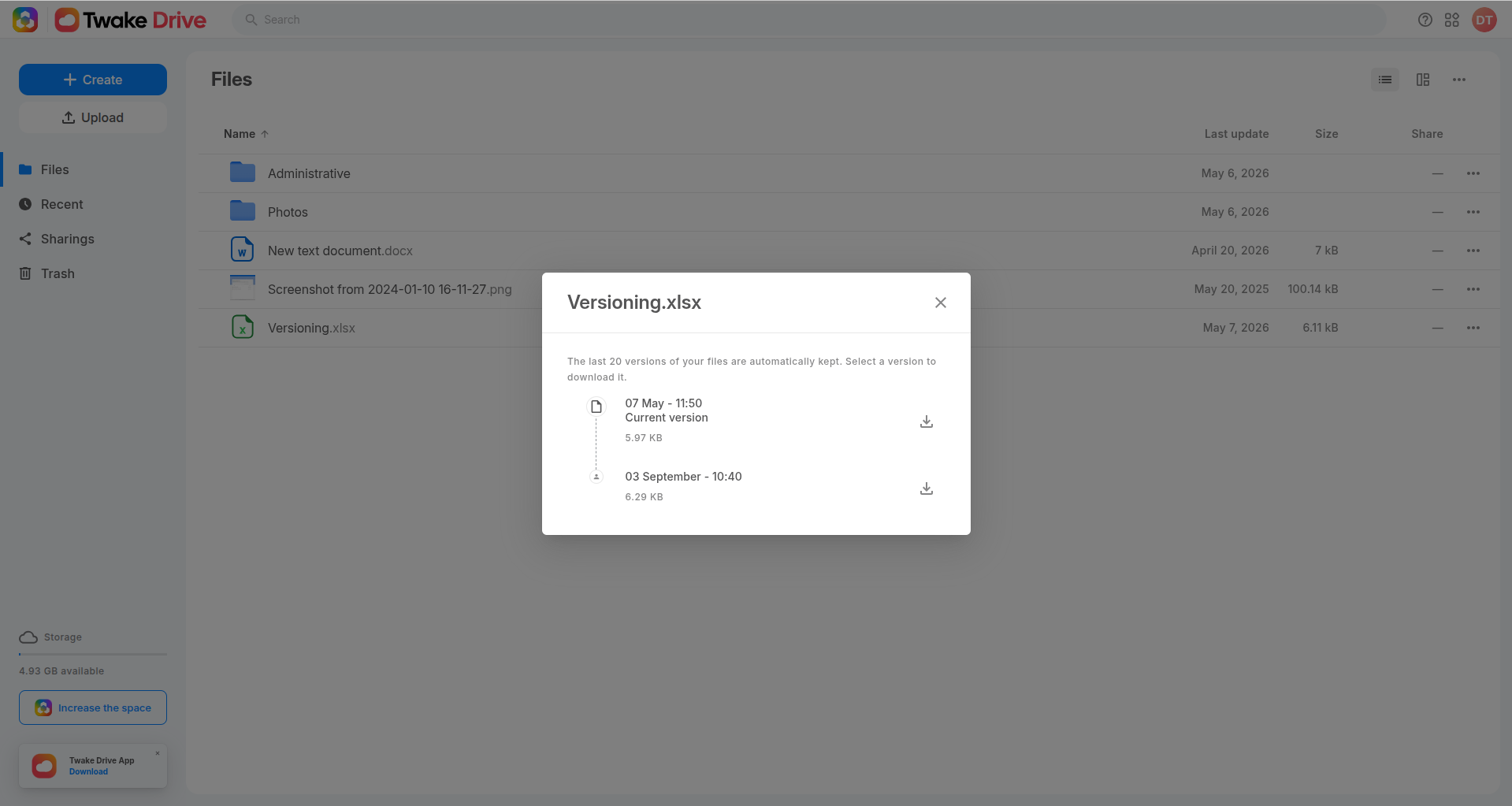
How to manage the different versions of a file?
How to view older versions of files
- Connect to your Twake Drive
- Click Files to find the file whose previous versions you would like to view.
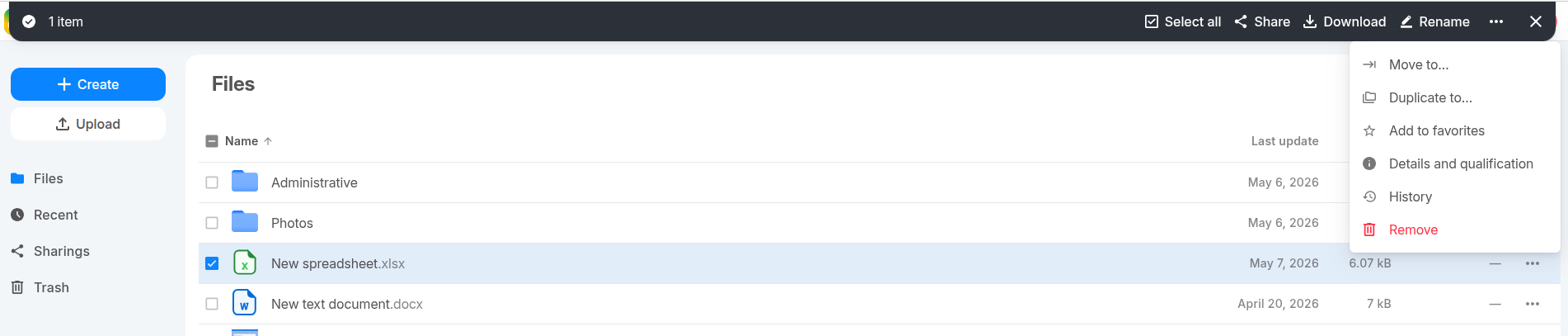
- Select the file by checking the box.
- There are 2 options:
An action bar is displayed at the top of your interface. Click on 3-dot button in the action bar then select option "History"
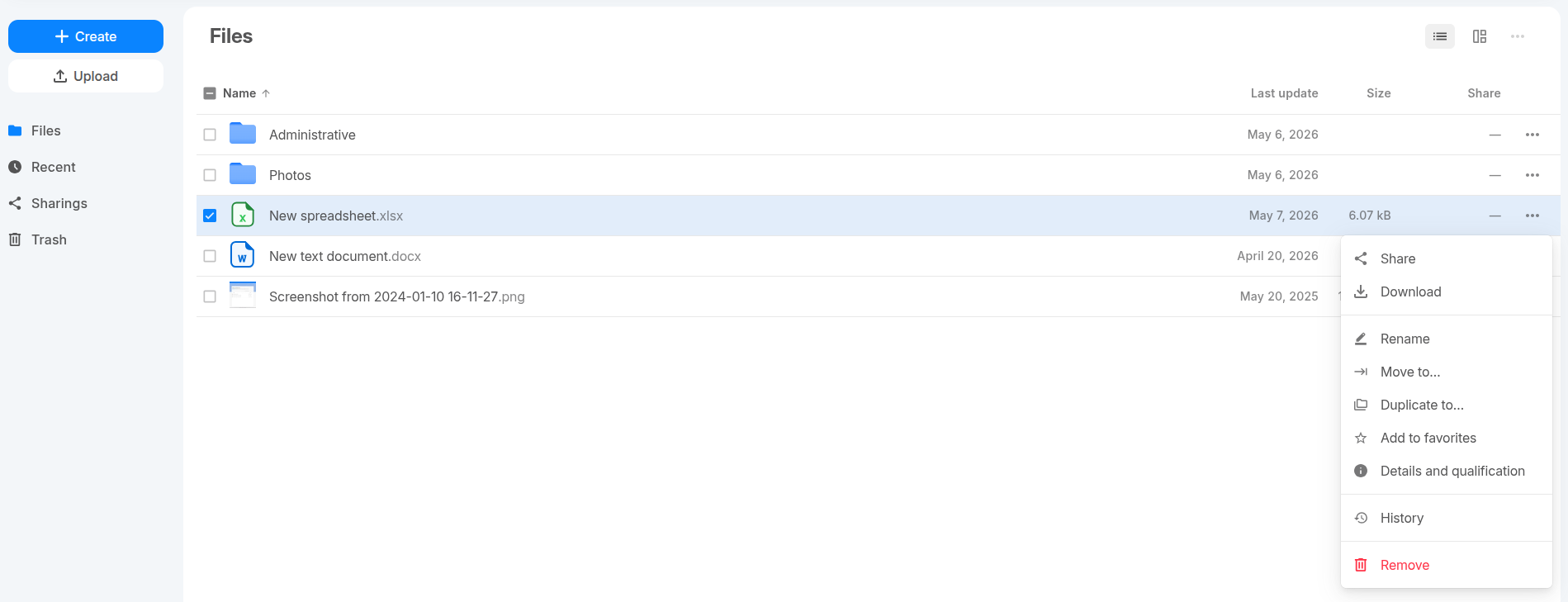
Or click on the 3 small dots ... at the end of the line and click on History .
- Select one of the versions to preview it.
- To download it, click on the arrow at the end of the line.
- Your Twake keeps up to 20 versions per file. No time limit.
- Version management is available in mobile and web view.