
I want to delete my Twake account
Deleting your account is permanent and cannot be undone. Make sure to review what will be lost before proceeding.
⚠️ Before you delete your account
- When you delete your Twake account:
- Your account will be permanently deleted
- You will lose access to Twake
- All your data will be removed, including:
- 💬 Chat conversations (private & group)
- 📁 Files stored in Twake Drive
- 📧 Emails in Twake Mail
- This data cannot be recovered
- We recommend exporting or saving important data before continuing.
Step 1:
- Go to Settings
- Click Delete my account
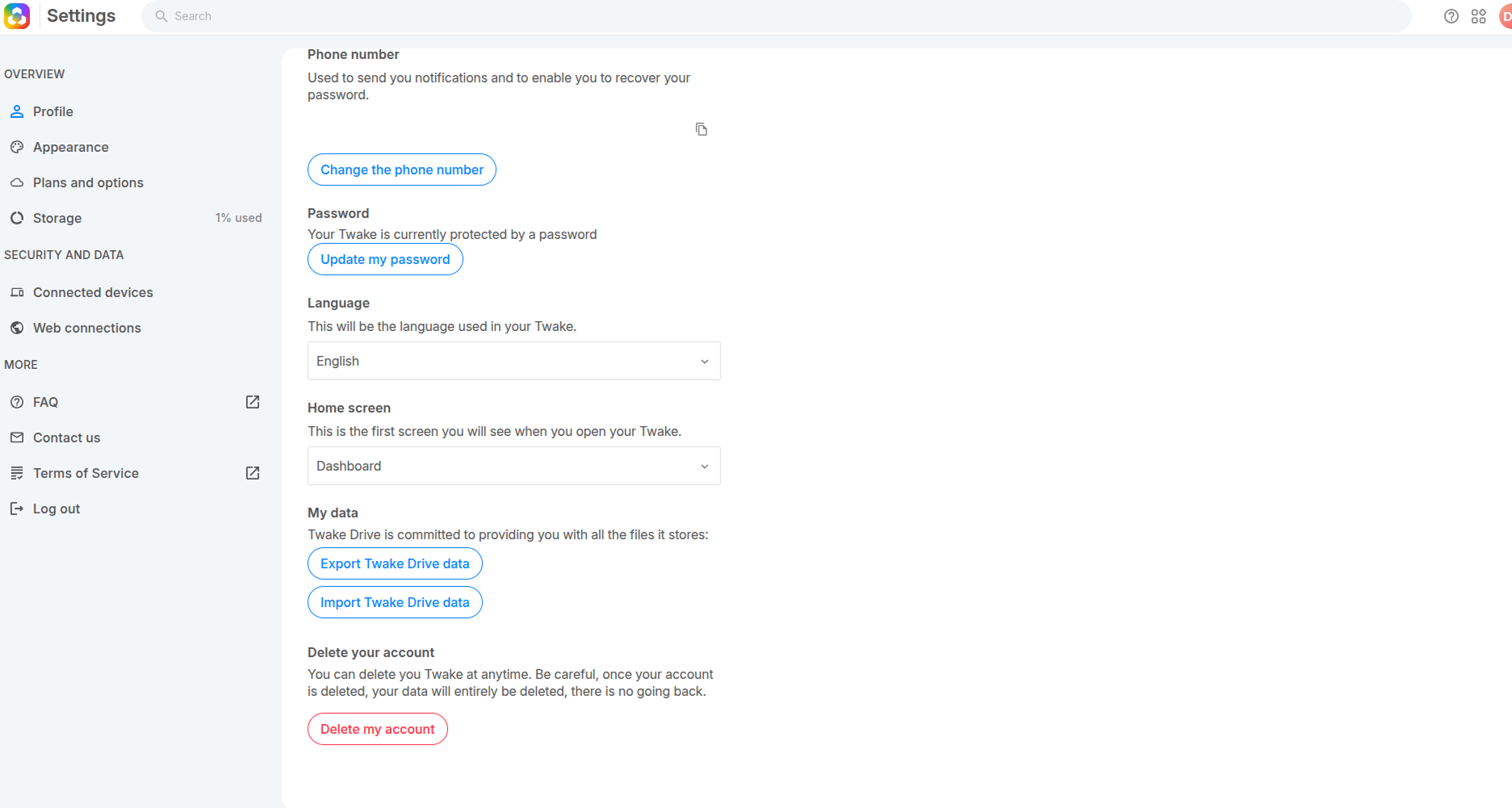
Step 2: Review data loss warnings
You will see several warning screens about:
- Loss of conversations
- Loss of group chat history
- Loss of files (Twake Drive)
- Loss of emails (Twake Mail)
Read each warning carefully and click Continue to proceed.
Step 3: Confirm your identity
After reviewing all warnings:
- Enter your current password
- Click Delete
👉 Forgot your password? Reset it first before deleting your account.
See: Reset my password
See: Reset my password
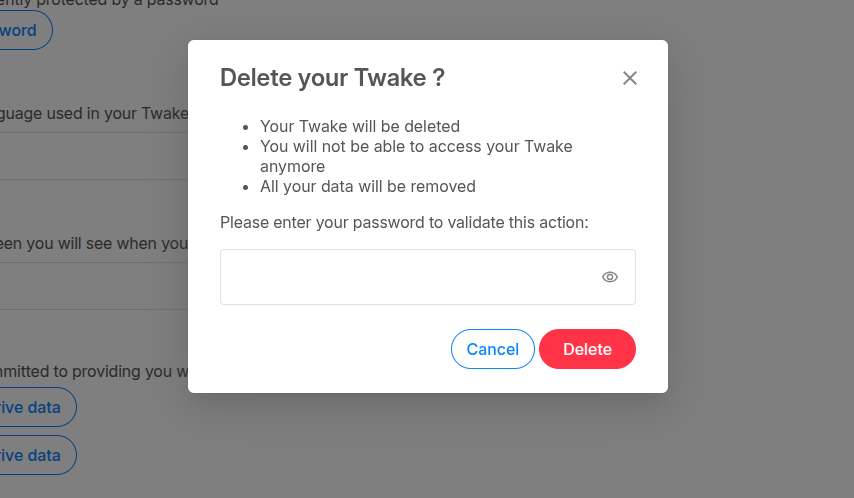
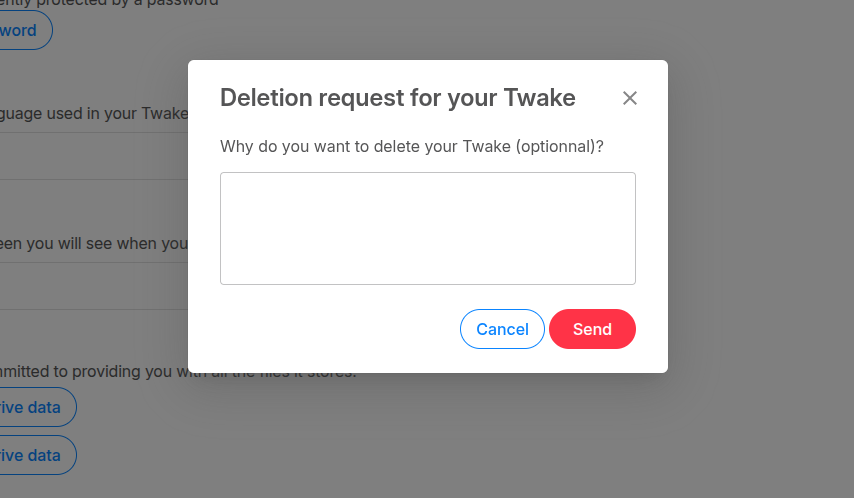
Step 4: Submit deletion request
After confirming your password:
- (Optional) Enter a reason for leaving
- Click Send
We would be happy to have your opinion on Twake, to know what the server served you, what you liked/disliked and what we could improve to make its use more pleasant and useful.
You will see a confirmation message:“The request has been sent and will be processed promptly by our teams”
After that, you will receive an e-mail from Claude, our Support Manager to confirm the deletion and unsubscription to the newsletter.