
Share a note
You can share a note by link:
- Click on Notes application
- In the list of notes, click 3-dots button of the note that you want to share, then select option: "Share"

- Or you can open the note then clicking on the blue button

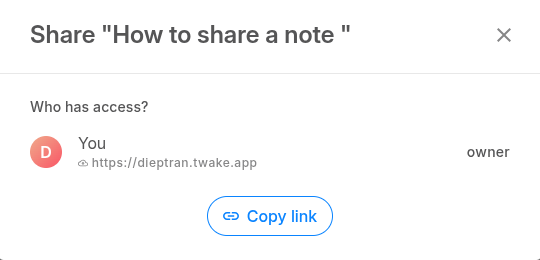
- Click "Copy link" button, the link is generated and copied to your clipboard
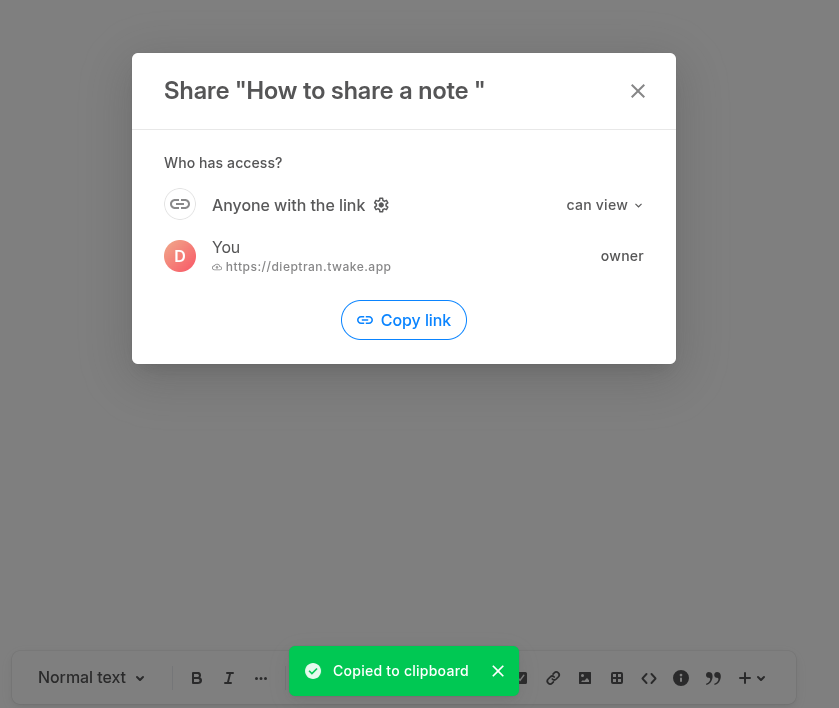
- Choose whether your recipients will be able to modify or only view the content of the shared note.
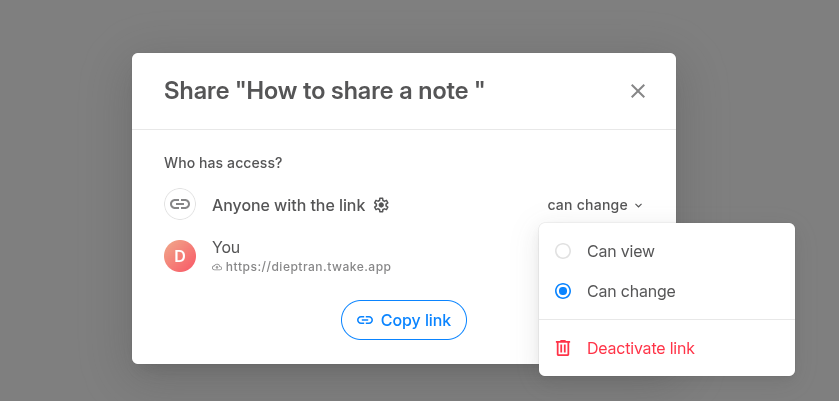
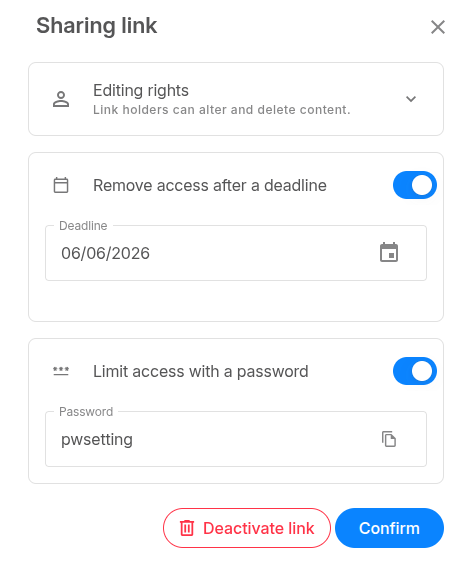
- You can click Setting icon to see the advanced settings:
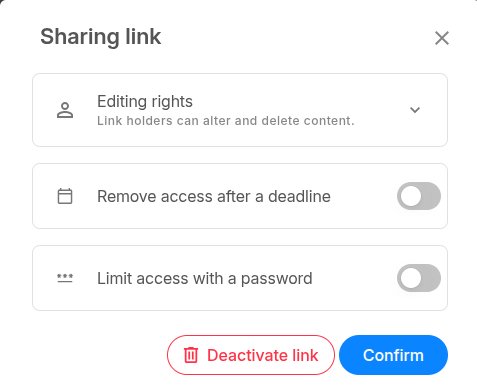
- Remove access after a deadline: Enable on this toggle then select the deadline date:
- Limit access with a password: Enable this toggle then enter a password for the shared note. The recipient will need this password to open the shared note
- Then click button Confirm
- Just paste the link into an e-mail and share it with the dedicated person.
- The recipients of your link will be able to view or modify the shared note.