
Add a shortcut on the homepage
Overview
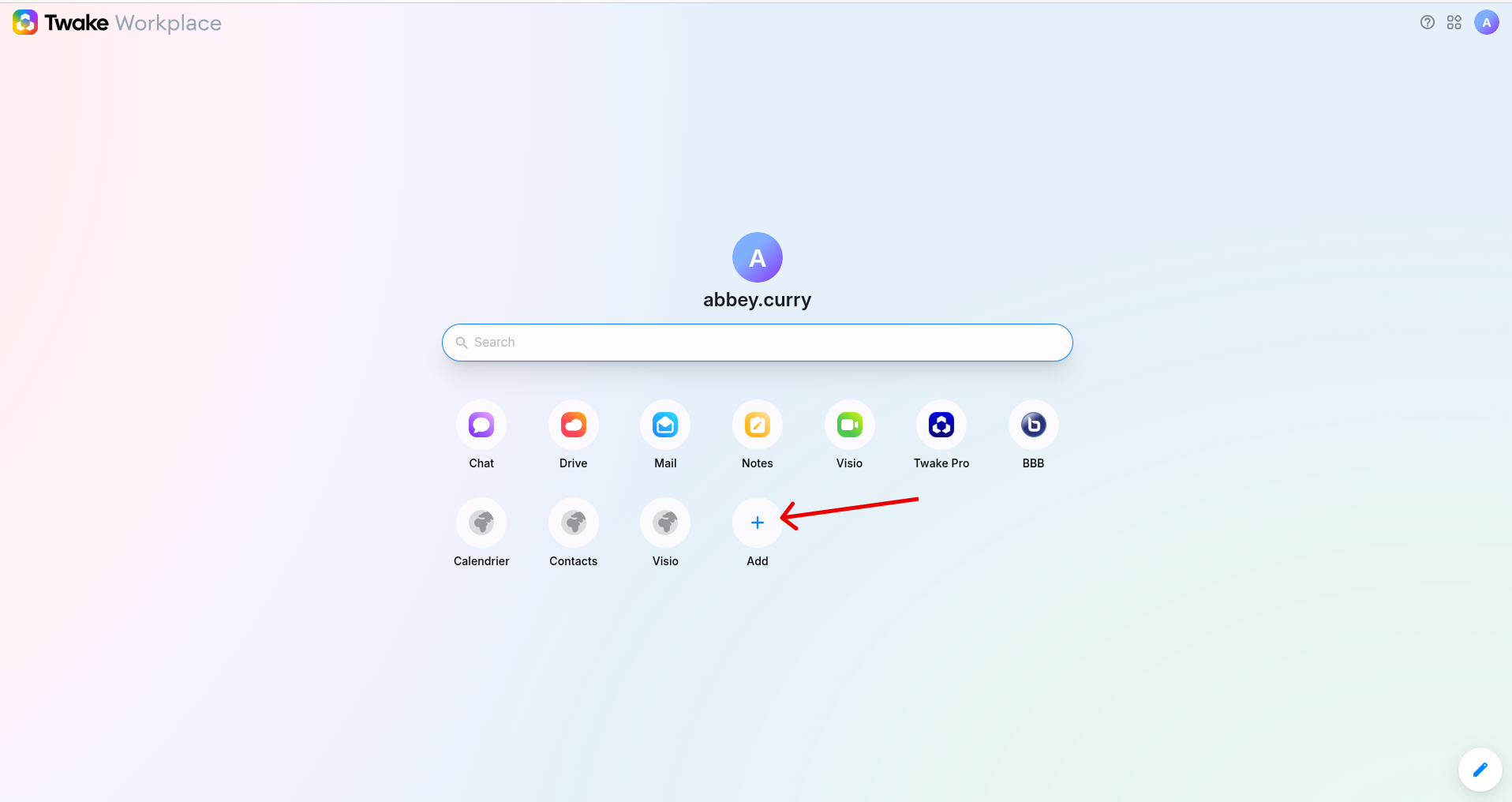
You can add custom shortcuts to quickly access your favorite websites or tools directly from your homepage.
- Go to your Homepage then click the “Add” (+) button
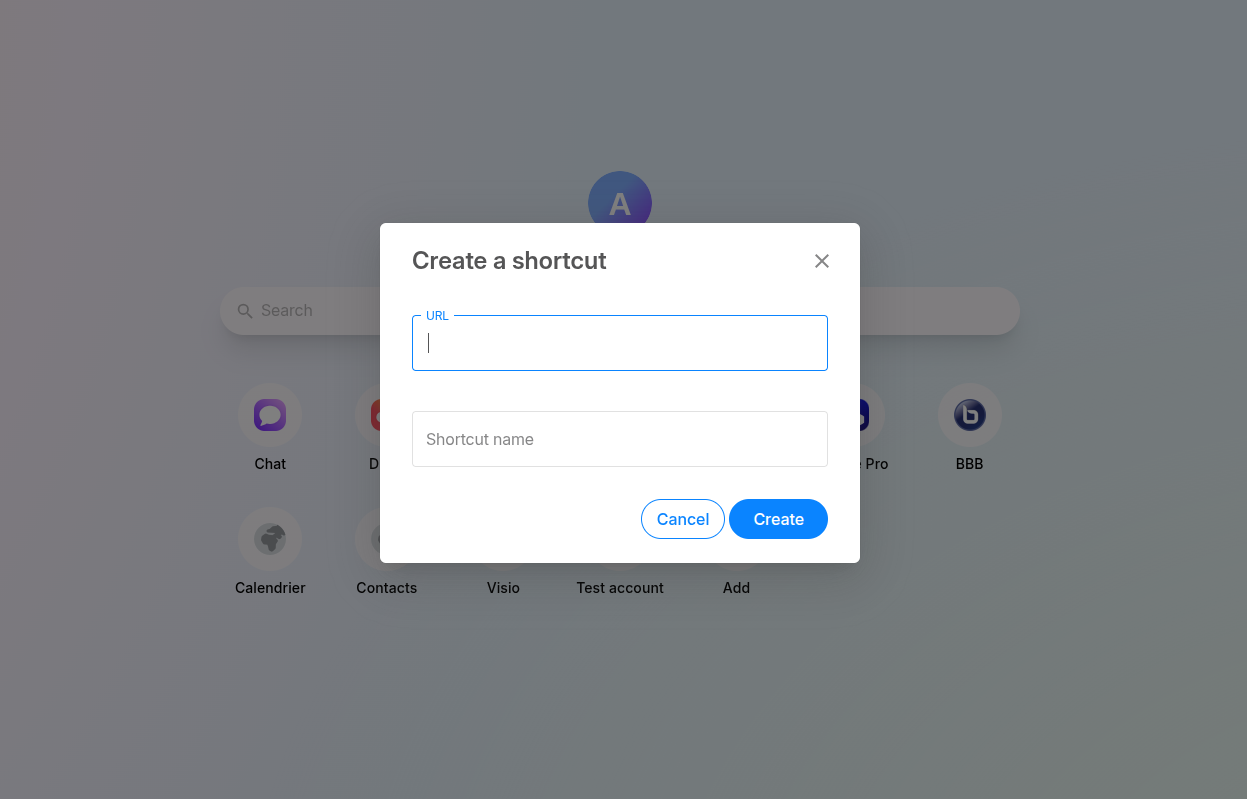
2. Enter shortcut details in the popup window:
- The URL
- Shortcut name
- Click Create button, the shortcut is added to your homepage. Now you can click it anytime to open the link instantly
To update the shortcut:
- Click the 3-dot menu on the shortcut.
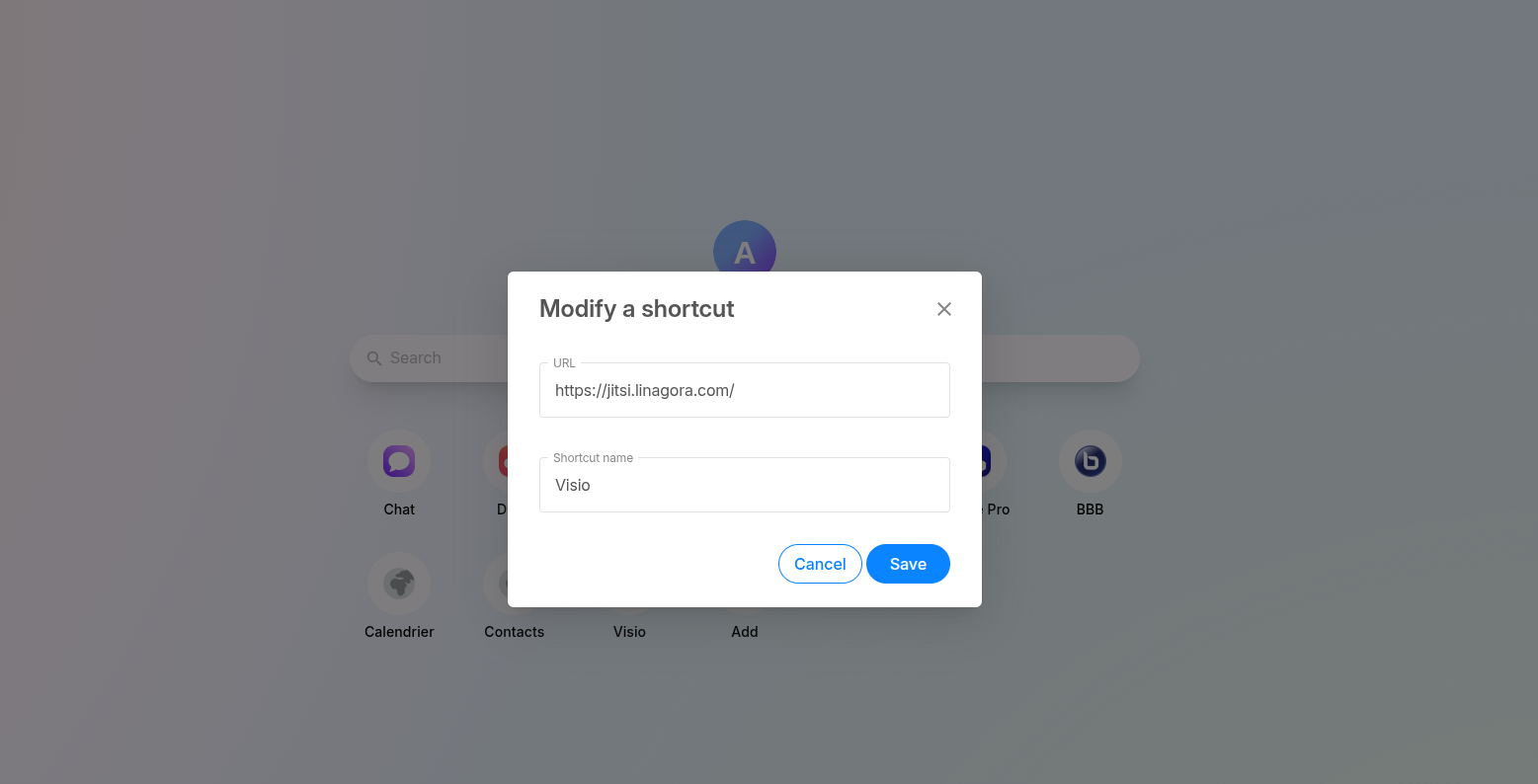
- Select Modify shortcut.
- In the popup window:Edit the URLEdit the Shortcut name
- Click Save to apply the changes.
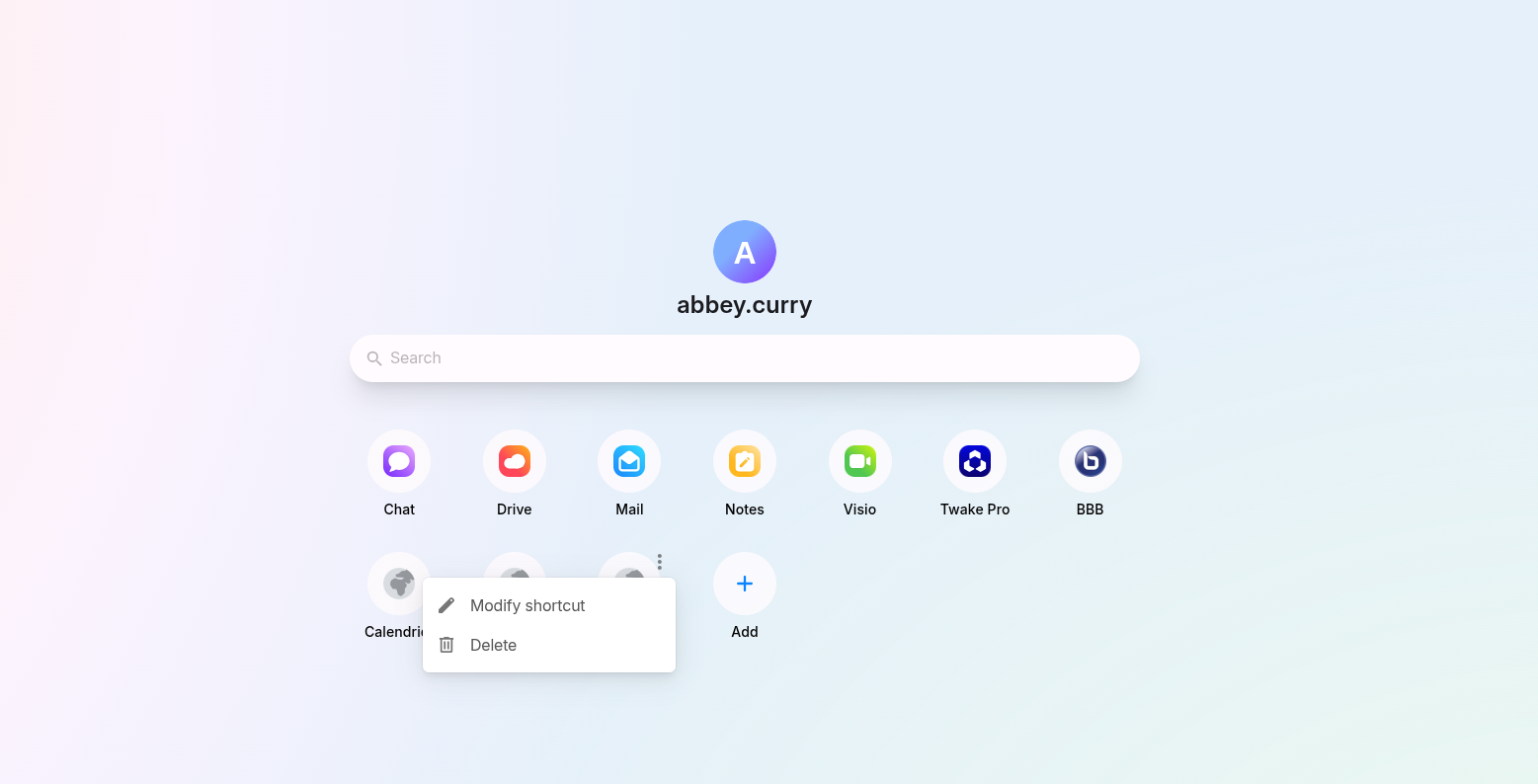
You can also delete the shortcut from the same menu by selecting Delete.