
How to switch to another plan
You can upgrade or change your current subscription plan at any time.
1. Open Plans and options, then click Manage my plan
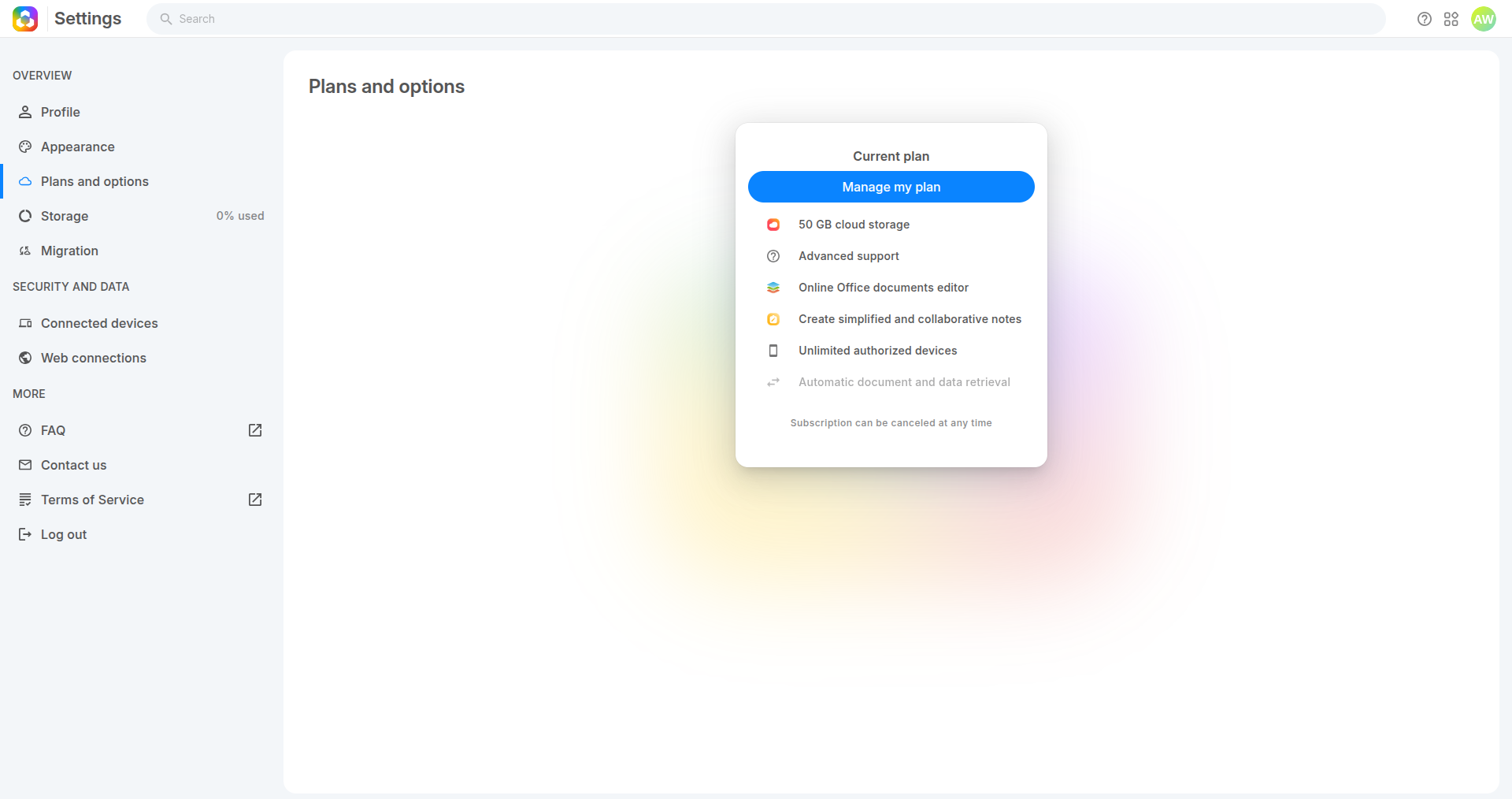
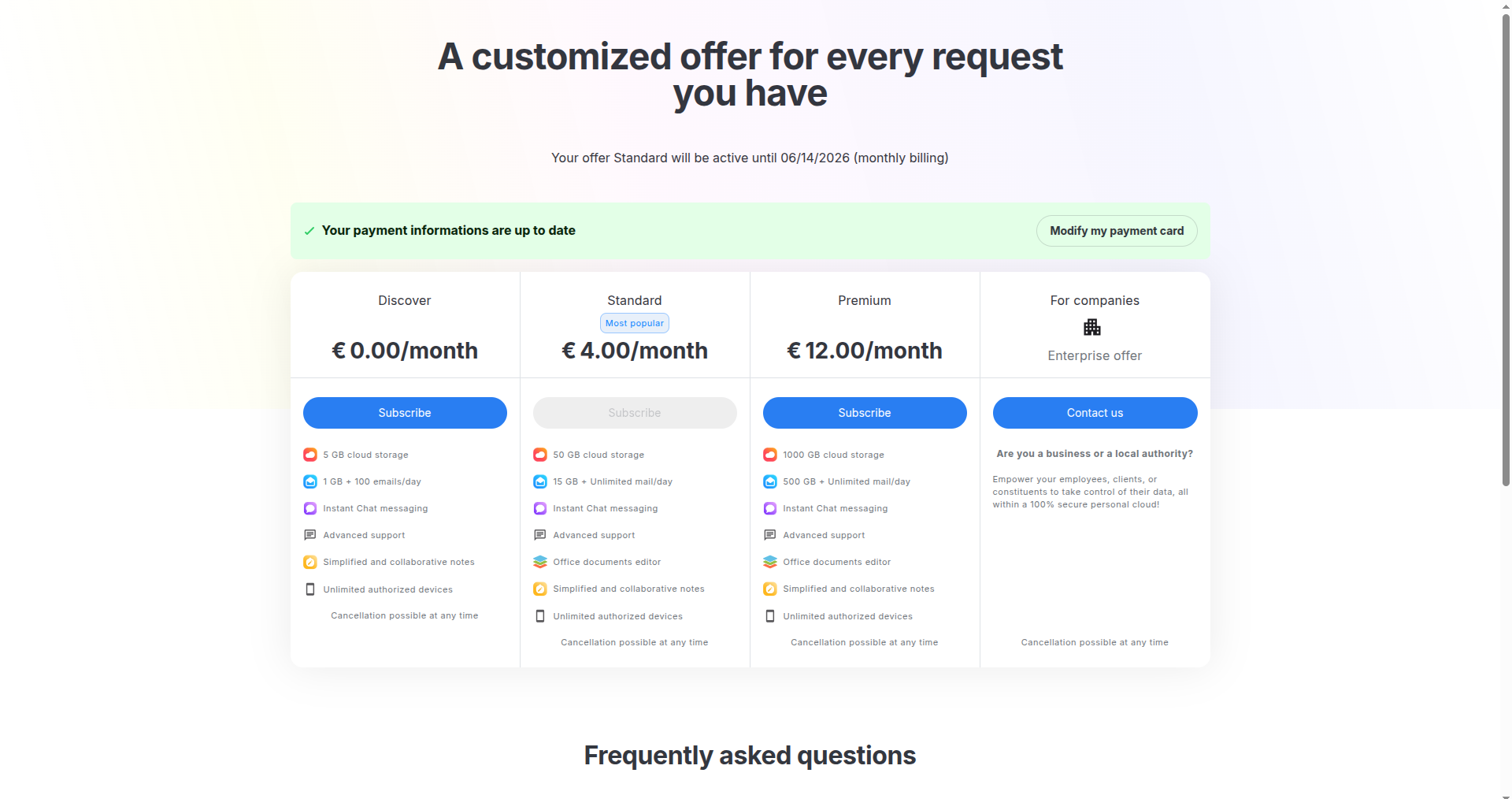
- Review the available plans (Discover, Standard, Premium, etc.)
- Your current plan is disabled
- Click Subscribe on the plan you want to switch to
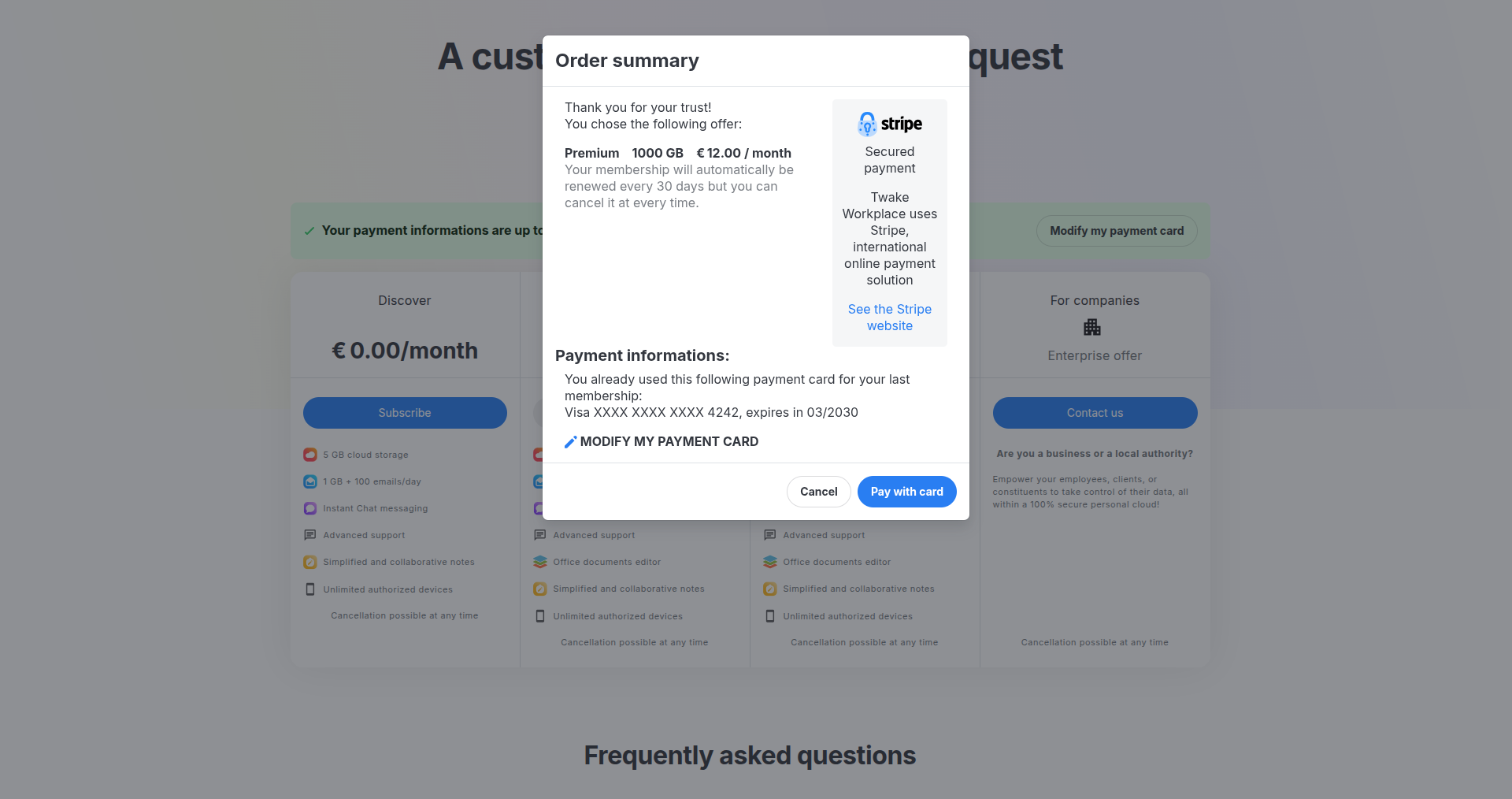
- Confirm payment
- Review the Order summary
- (Optional) Click Modify my payment card if you want to change the payment card information
- Click Pay with card to confirm the plan change
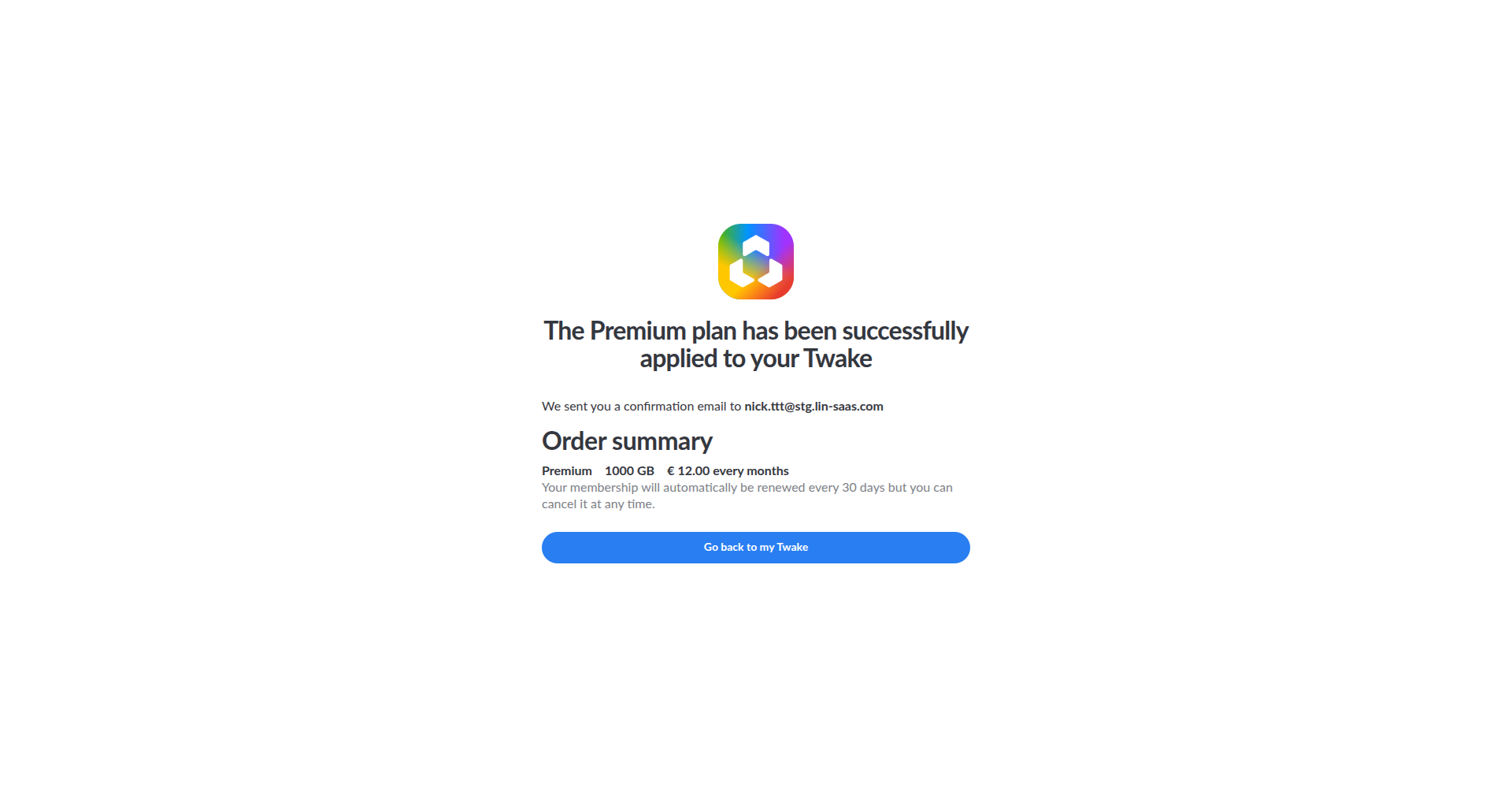
- Plan updated successfully
- Your new plan is applied immediately
- A confirmation email is sent to your email address
- Click Go back to my Twake to continue
If your data exceeds the new limit, you can still access it but may not be able to upload more
You can change your plan again at any time
Frequently asked questions
If I upgrade my plan, can I access directly to the best features ?
Yes the new plan features become available immediately, you can directly access the higher-tier features after the upgrade. Additional cost will be added to the next billing.
If I downgrade my plan, can I enjoy the best features until the end the month?
Your current plan remains active until the end of the current billing period. You can continue enjoying the higher-tier features you already paid for until the subscription expires.The downgraded plan will take effect starting from the next billing cycle.
Will I lose my data after downgrading?
No, your existing data is normally preserved. However, some features or storage limits from the higher plan may no longer be available after the downgrade becomes active.
Can I switch back to my previous plan later?
Yes. You can upgrade or downgrade again at any time from the subscription settings.