Manage Trash/Bin in Twake Drive
How to move files/folders to Trash
See: Manage Files/Folders → Move one or multiple files/folders to Trash
Permanently delete one or several files/folders
- Access Twake Drive => Open Bin from left side bar
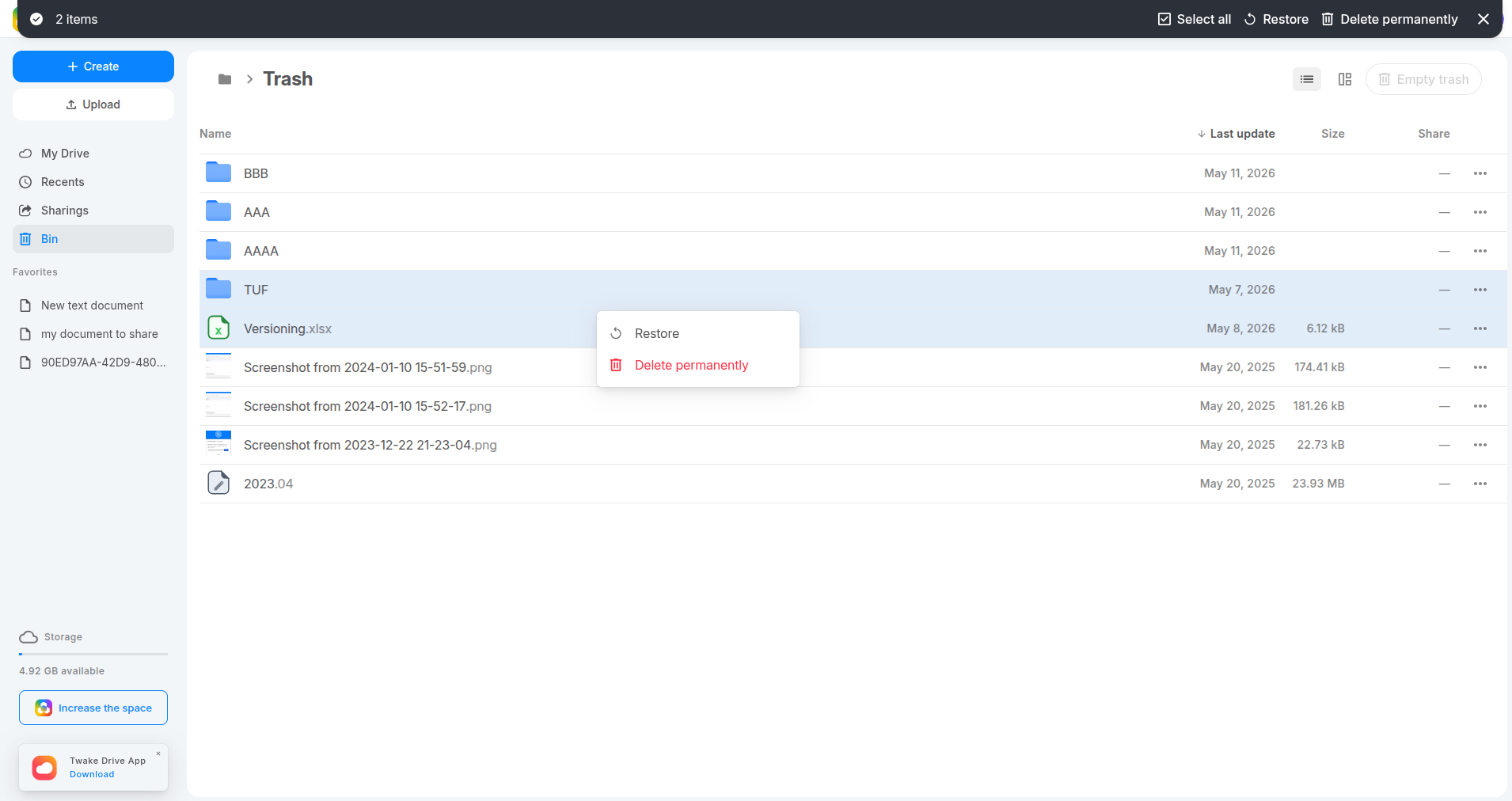
- Select one or several items.
- Right-click then click Delete permanently or select this option from action bar
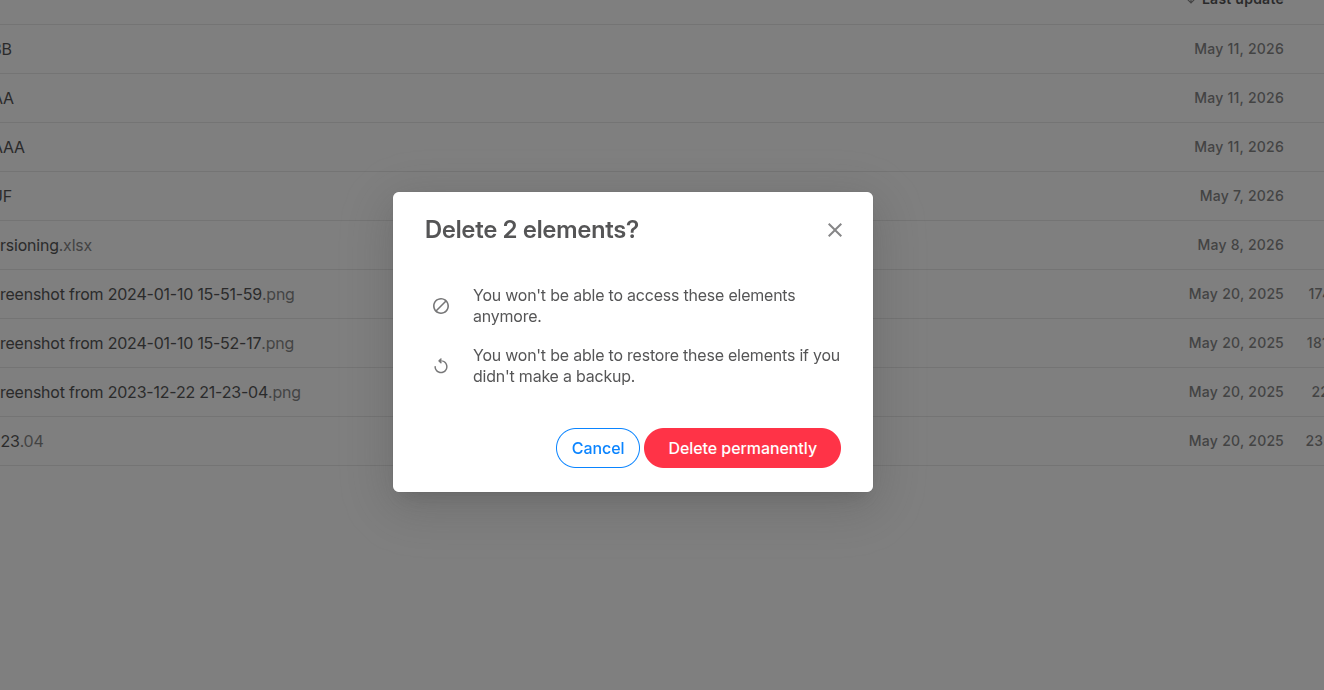
- A popup is displayed => select "Delete permanently" to confirm the action.
Restore one or several files/folders
- Open Bin from the left sidebar.
- Select one or several files/folders.
- Right-click then click Restore or select this option from action bar
- The selected items are restored to their original location.
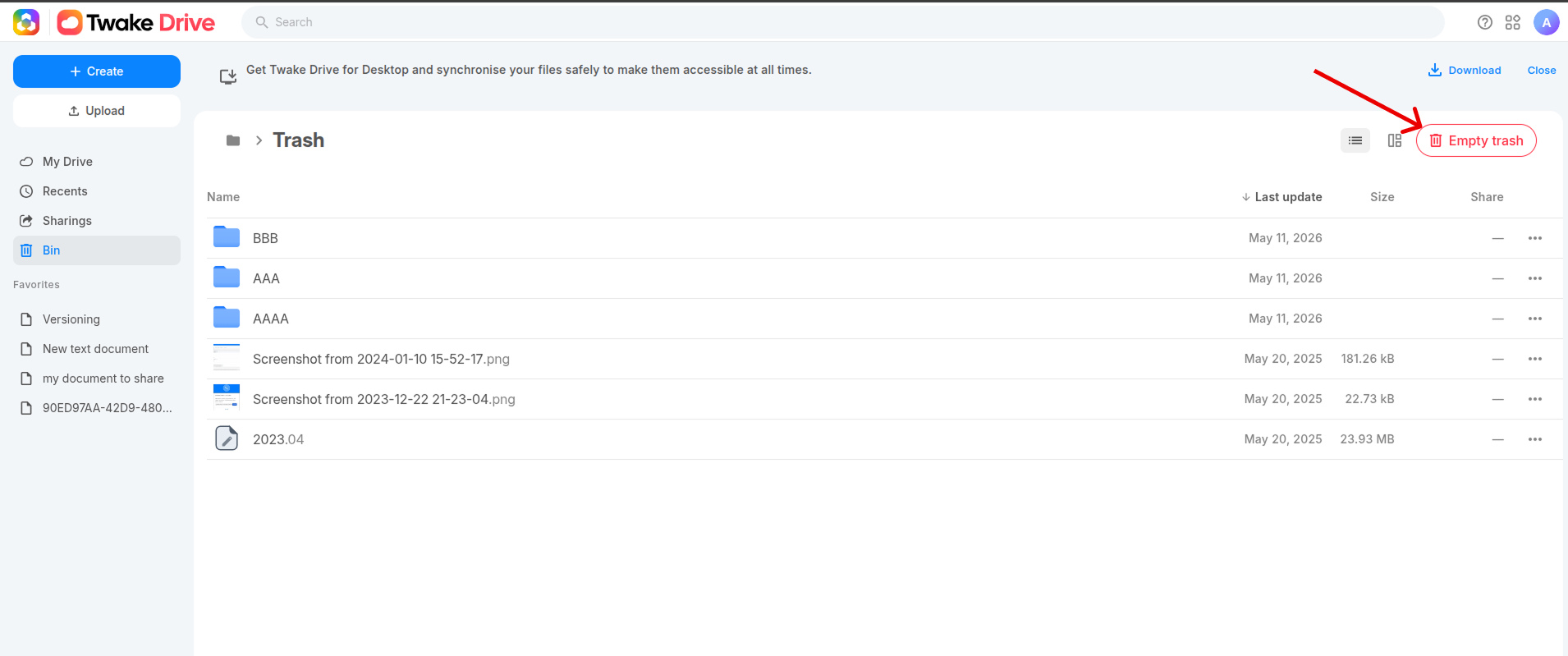
Empty trash
- Open Bin from the left sidebar..
- Click Empty trash on top right of screen
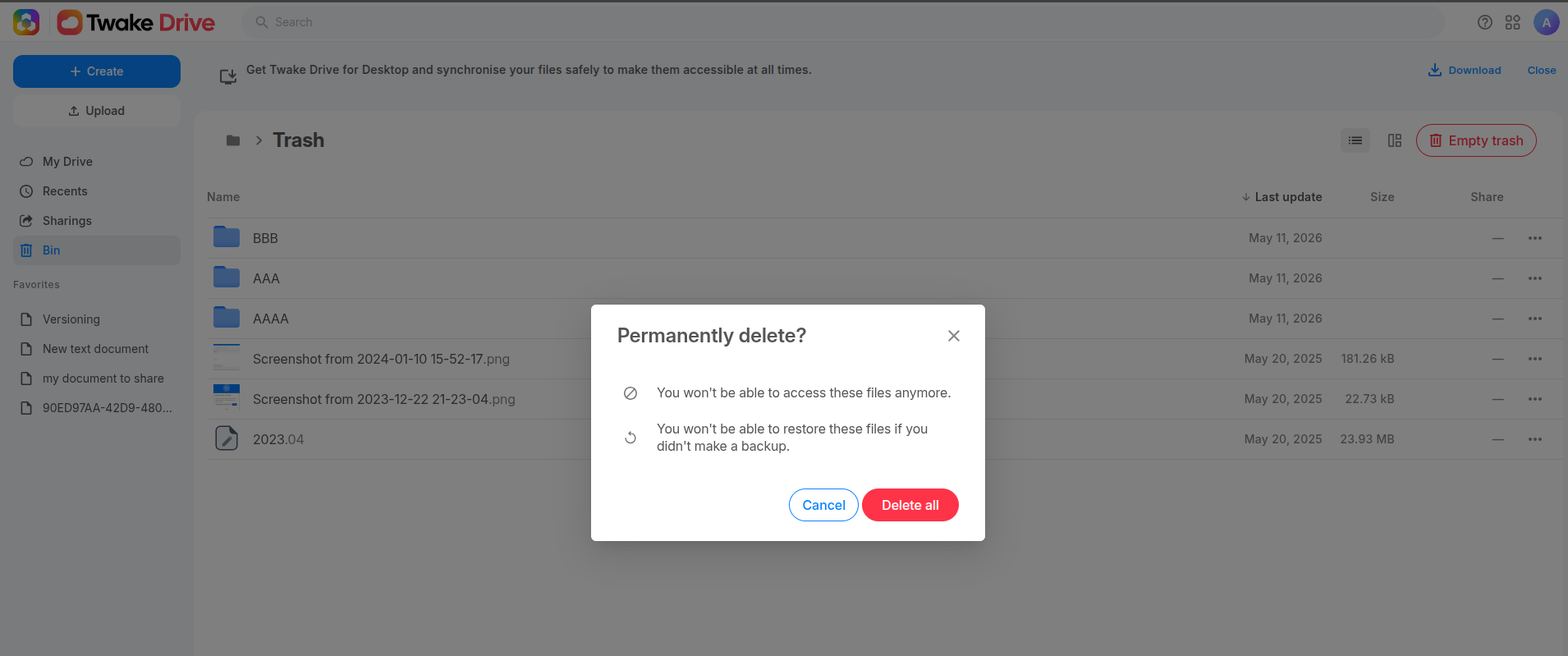
- A popup is displayed, select Delete all to confirm:
All items in the Trash will be permanently deleted.