Search messages inside a chat
Looking for an earlier message? You can search within a direct or group chat using a word or phrase from the message.
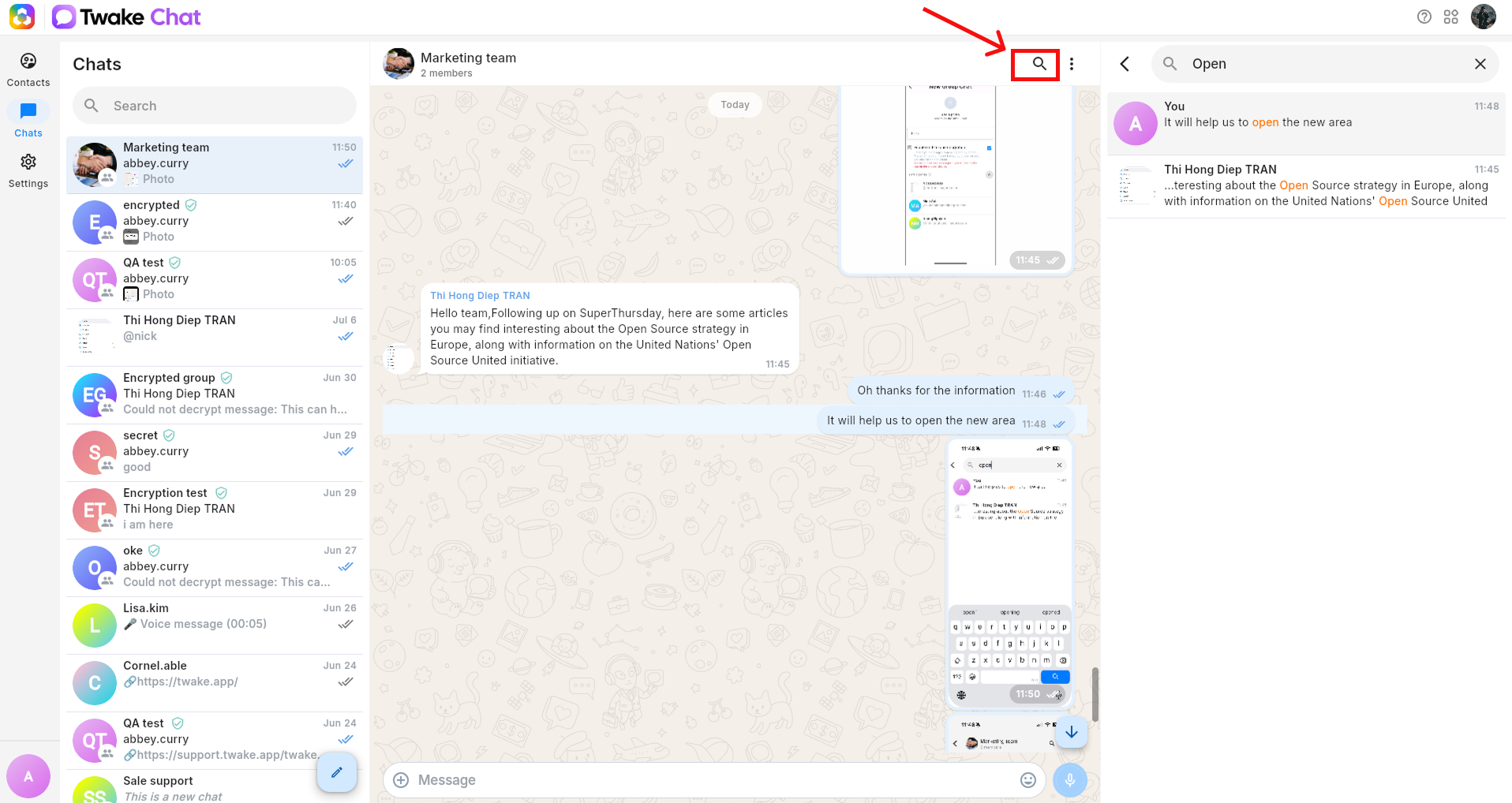
- Open Twake Chat and select the conversation you want to search.
- Click the Search icon in the upper-right corner of the chat, a right panel will be opened.
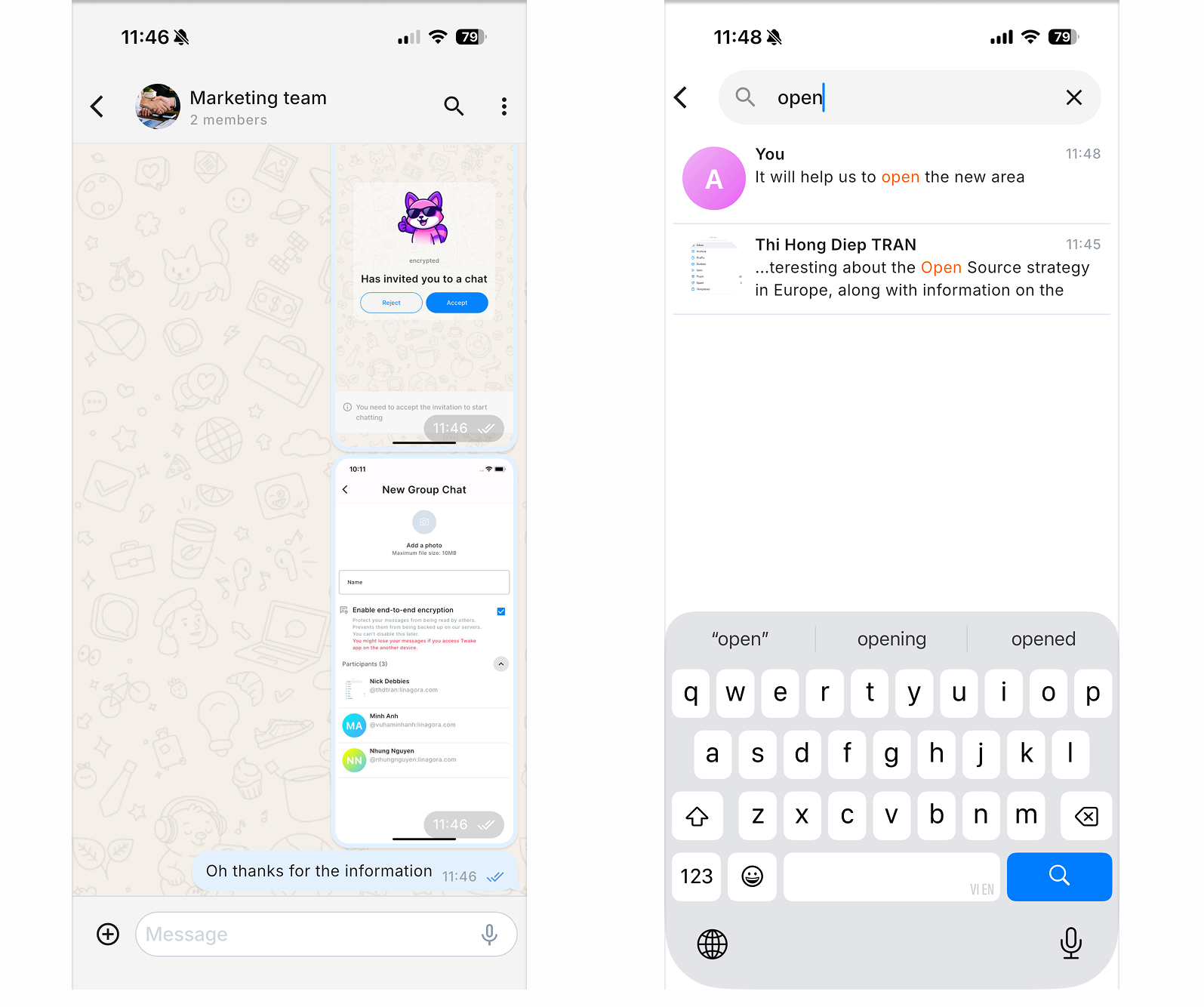
- Enter a word or phrase from the message in the search field.
- Matching messages appear below the search field. The matching text is highlighted in each result.
- Click a result to locate and view the message in the conversation.
To close the search panel, click the X icon.