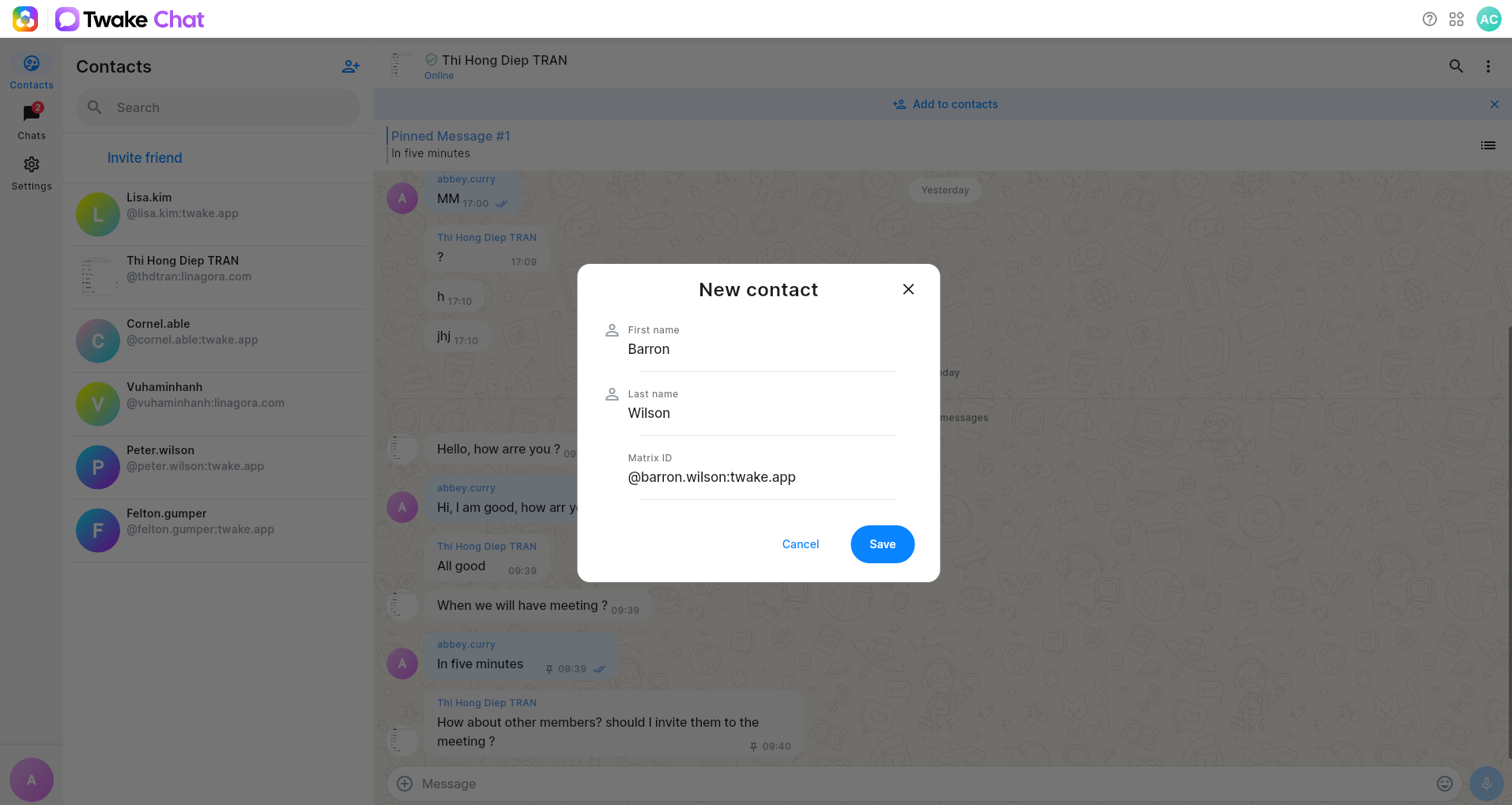
Create a new contact
Before you begin
Make sure you know the person's Matrix ID (for example: @john.doe:twake.app).
Create a new contact
- Open Contacts from the left sidebar.
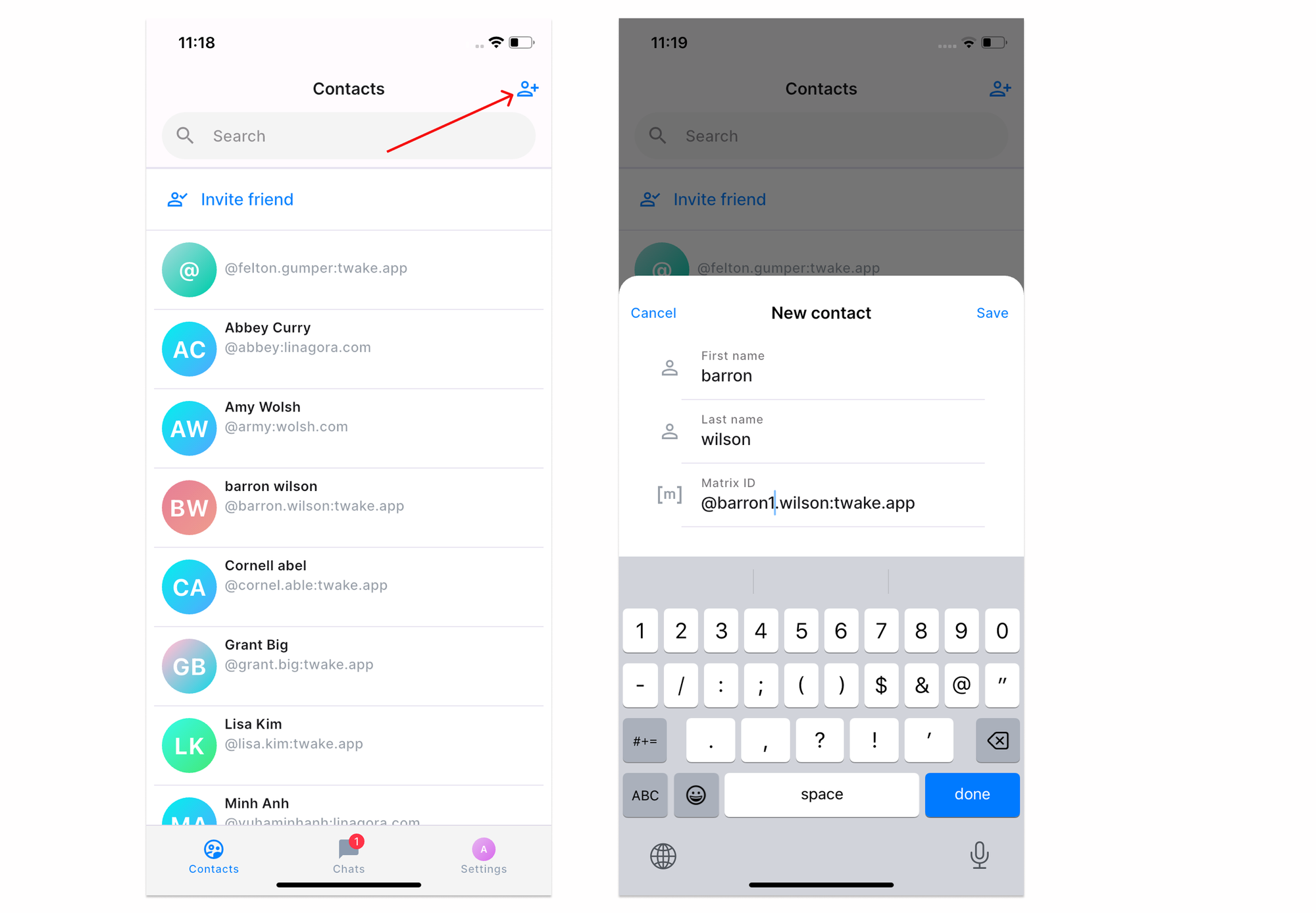
- Click the Add Contact icon at the top of the Contacts list.
- In the New contact window, enter:
- First name (optional)
- Last name (optional)
- Matrix ID (required)
- Click Save.
The new contact is added to your personal contacts list and is ready to chat.
Note: The Matrix ID must be valid. You cannot create a contact without it.
On mobile: