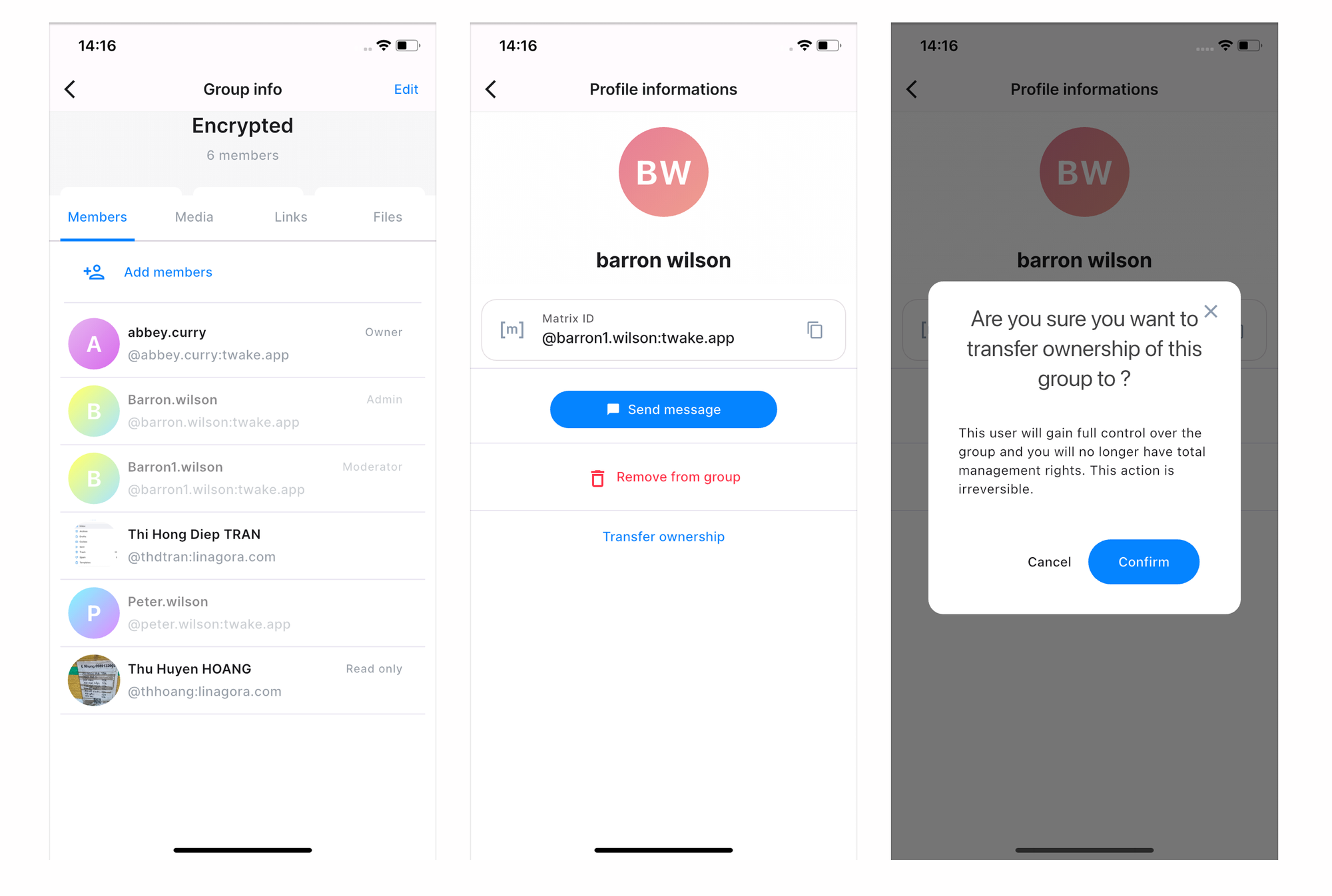
Chat - Transfer group ownership
The group owner can transfer ownership of a group to another member. After the transfer, the new owner receives full administrative control, and the previous owner becomes a regular group member.
To transfer the ownership:
- Open the group chat.
- Click the group name at the top of the conversation to open Group info.
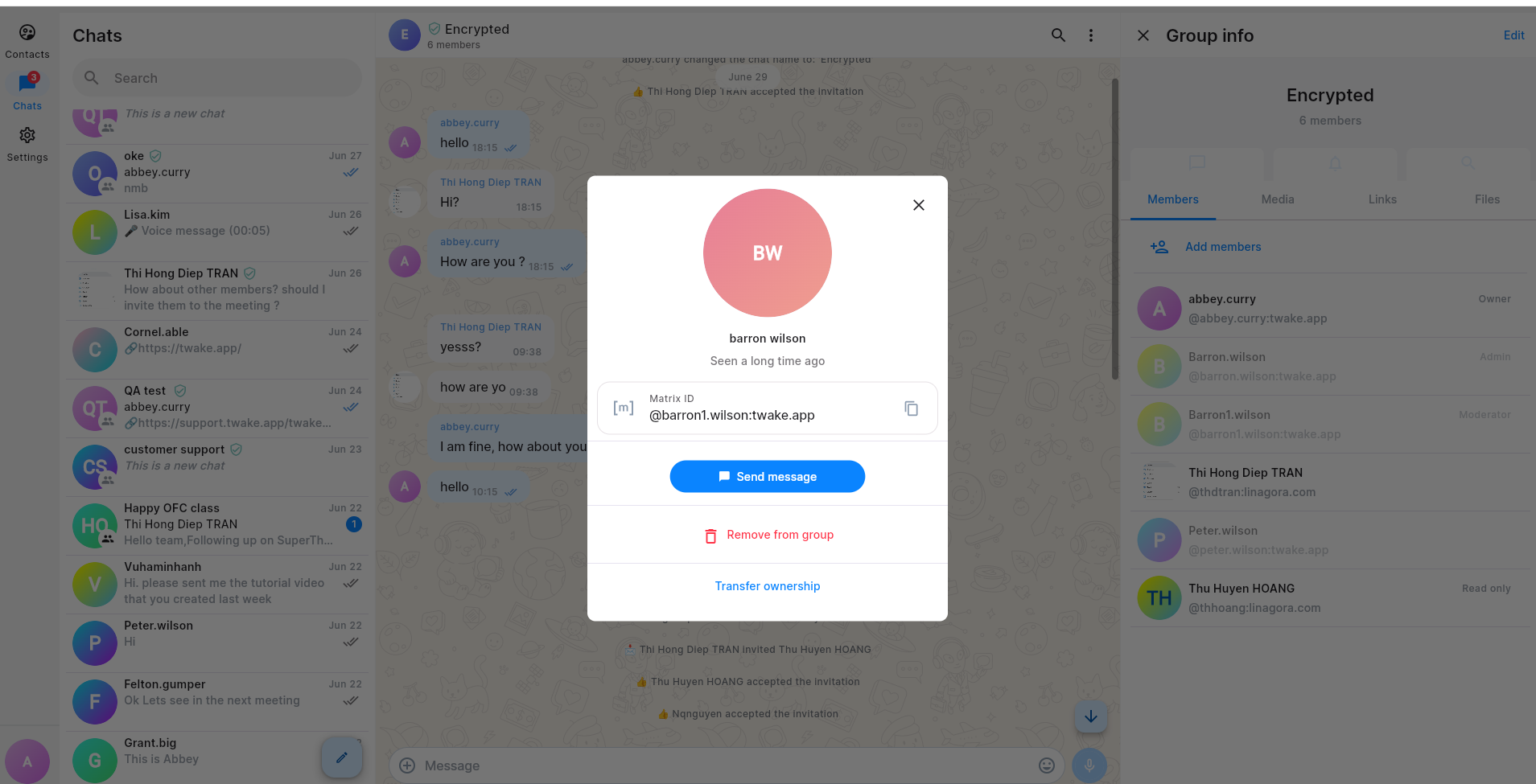
- On the Members tab, click the member you want to make the new owner.
- In the member details, click Transfer ownership.
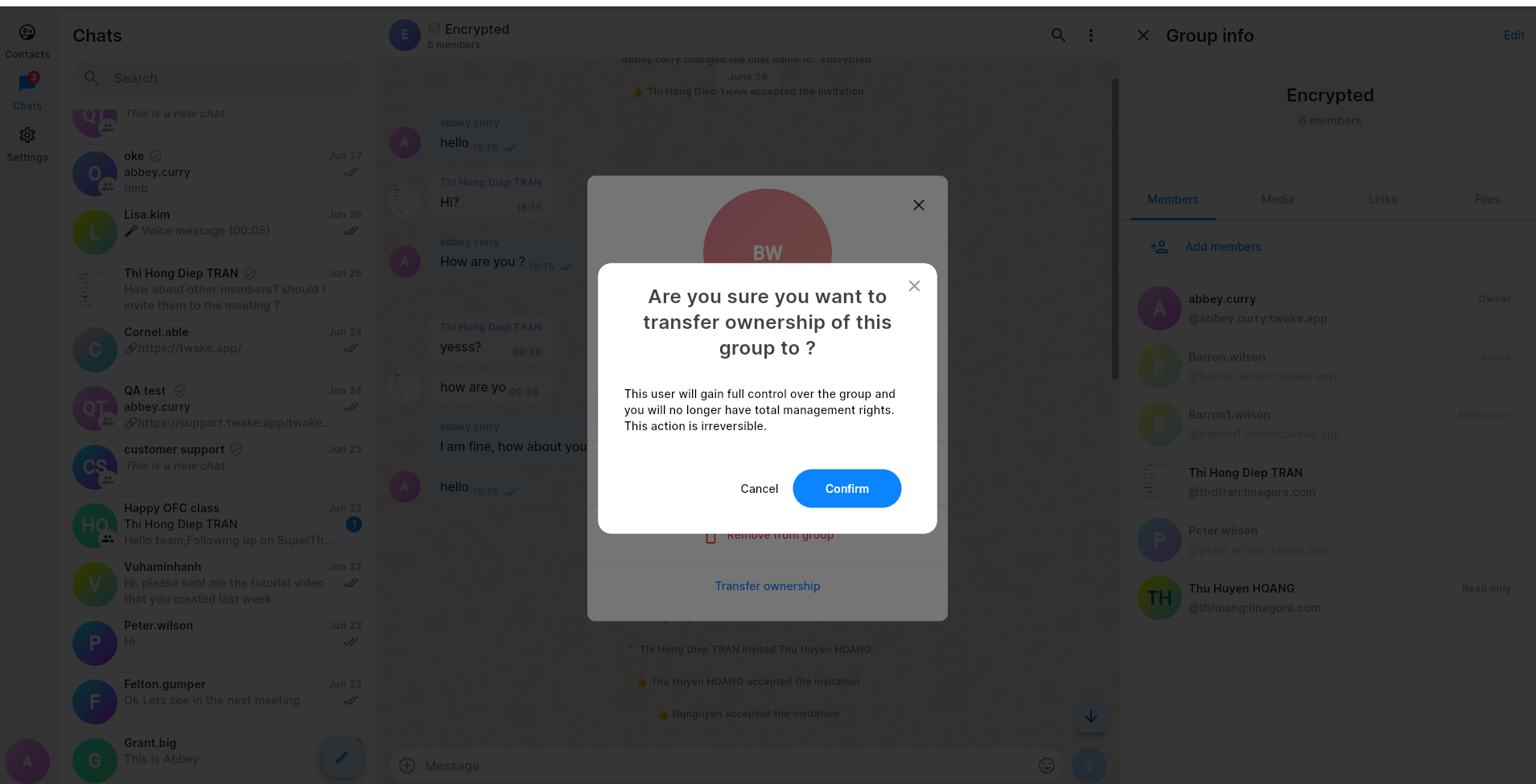
- Click Confirm.
Ownership is transferred immediately. The selected member becomes the Owner, and your role is changed to Member.
On mobile app: