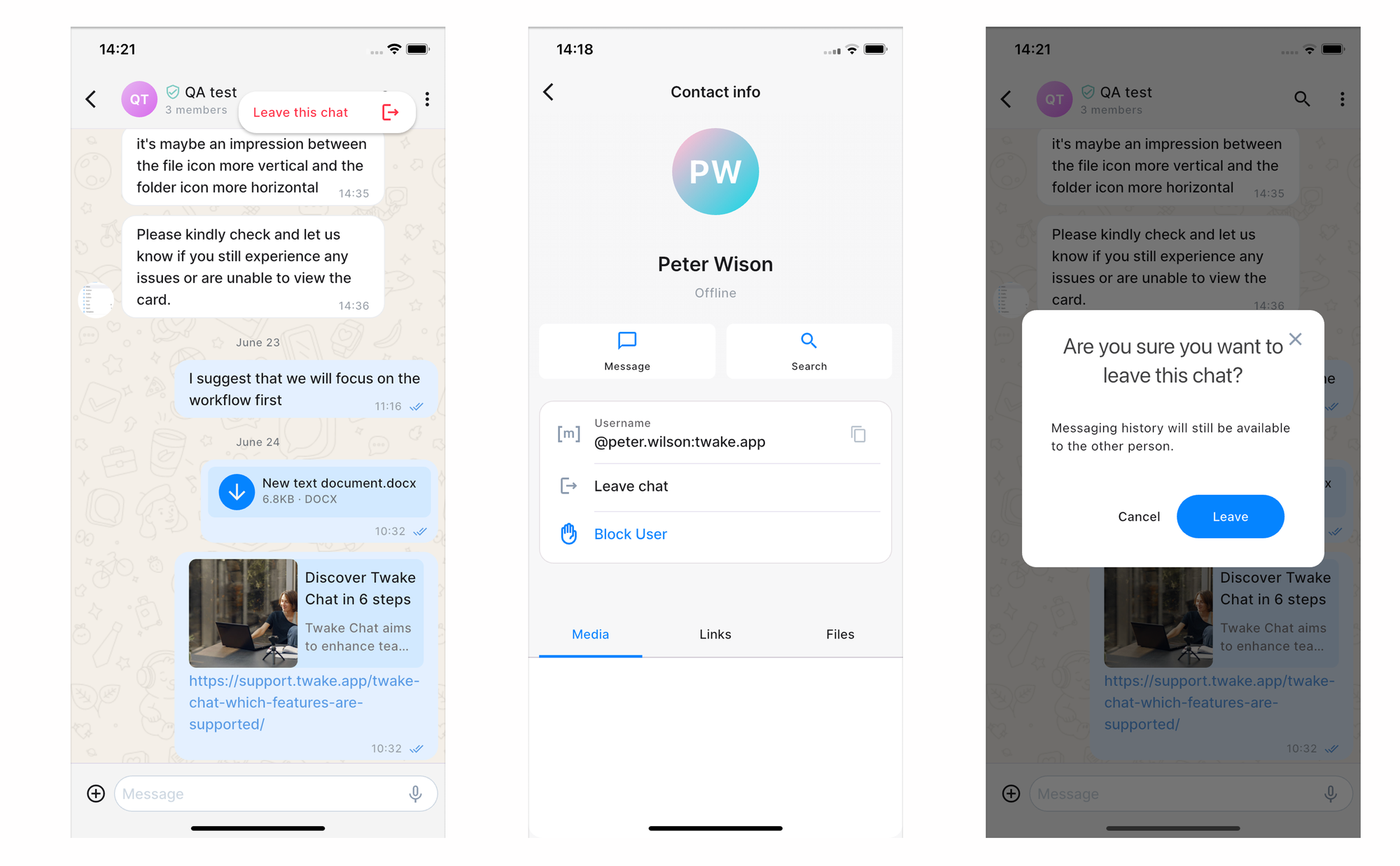
Leave a chat
If you no longer want to participate in a conversation, you can leave the chat. Once you leave, you will stop receiving new messages from that conversation
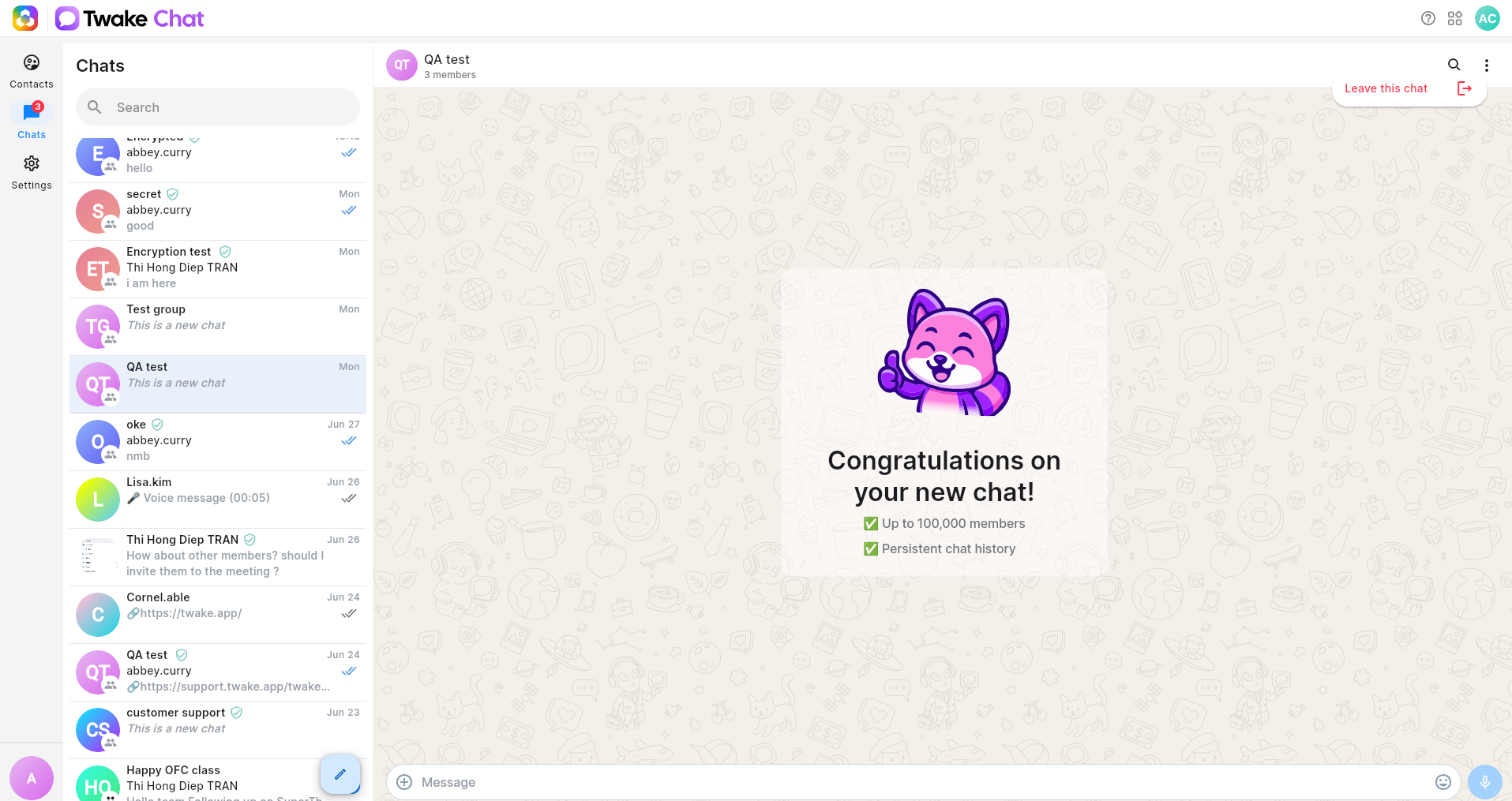
- Open the chat you want to leave.
- Open the chat information panel:
- For a group chat or direct message, click the three-dot menu in the top-right corner and select Leave this chat.
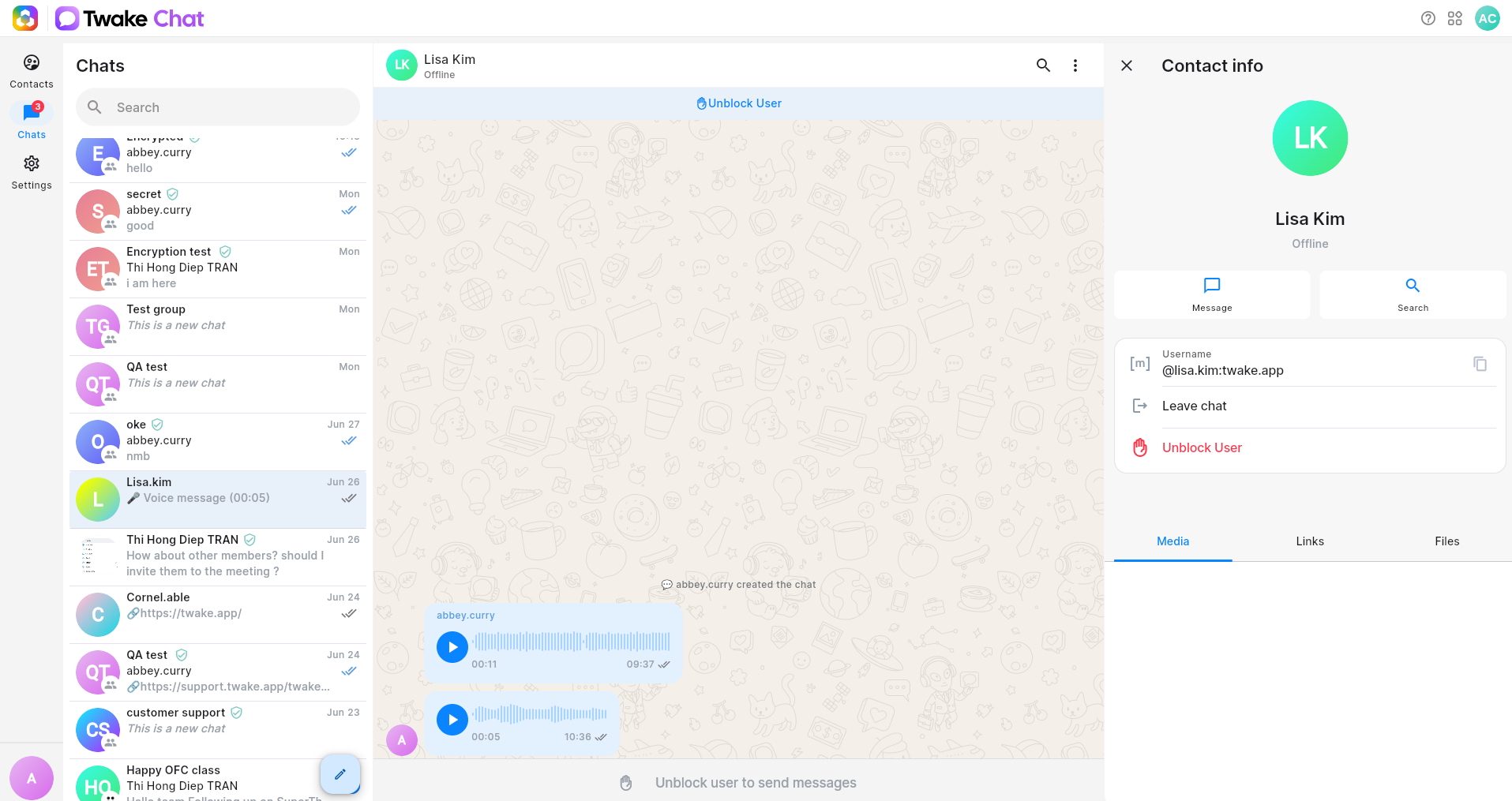
- Beside, for a direct message, you can open Contact info and click Leave chat.
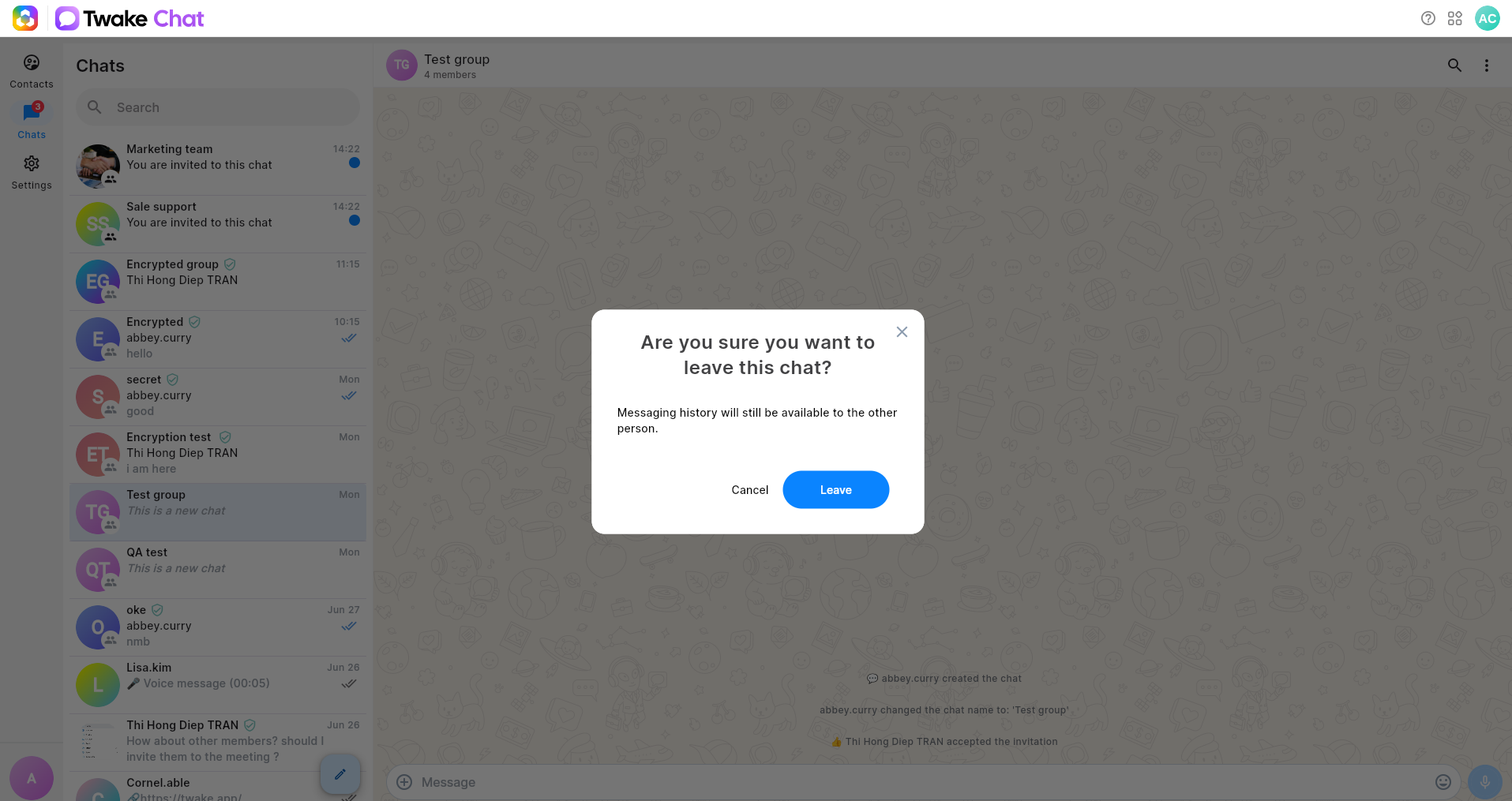
- A confirmation dialog appears.
- Click Leave to confirm. After you leave a chat, it disappears from your chat list, and you can no longer access its message history.
Leaving a chat does not delete the conversation history for other participants. Your previous messages remain visible to them.
On mobile app: