Duplicate an event
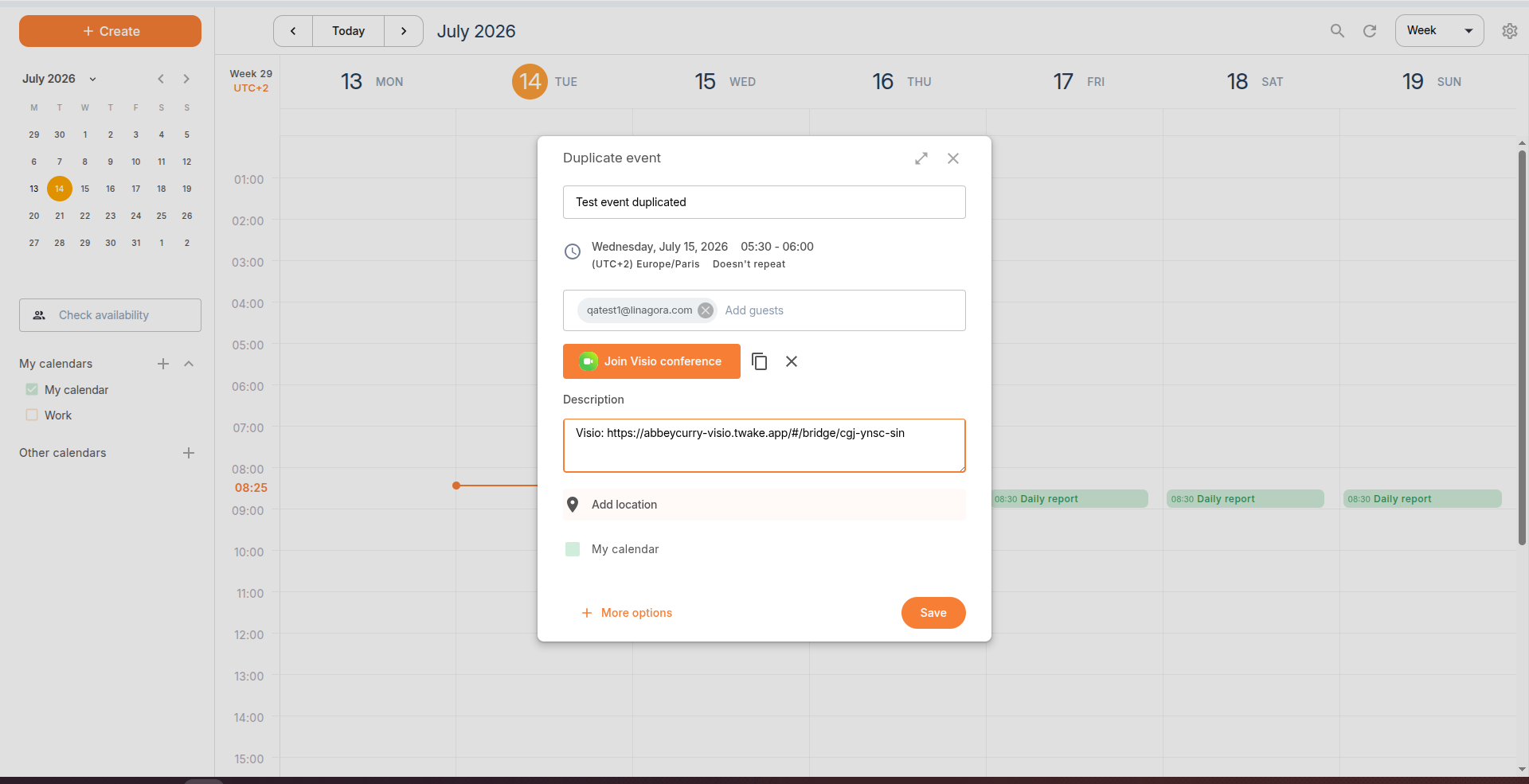
Duplicate an event to quickly create a new event with the same details, such as the title, participants, description, location, and calendar. You can then modify any information before saving the copy.
To duplicate an event:
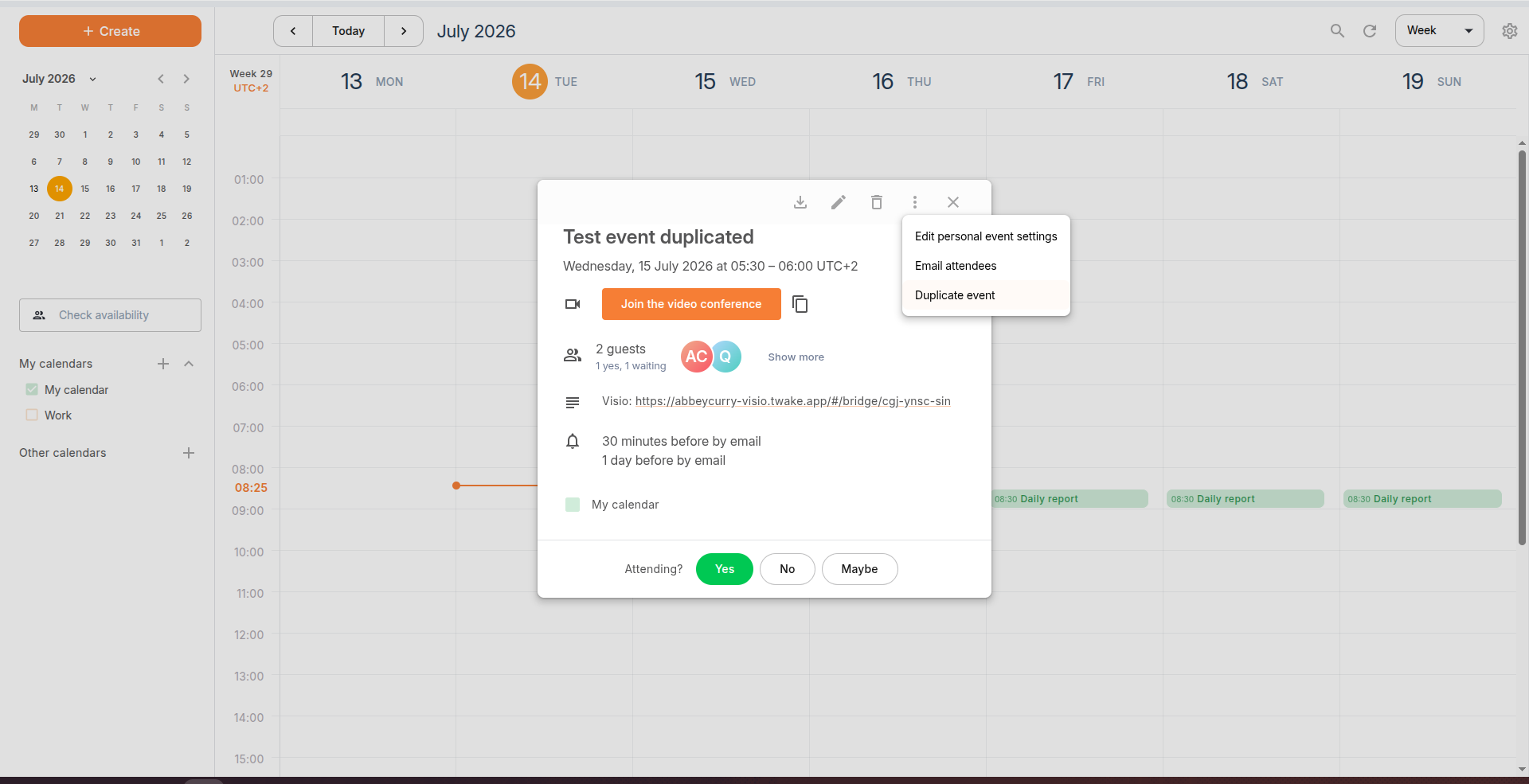
- Open the event you want to duplicate.
- Click the More actions (︙) menu.
- Select Duplicate event.
- The duplicated event inherits the original event's information. Review and update the event details as needed.
- Click Save.
A new event is created based on the original event.