How to delete my Twake Chat account on mobile app?
If you no longer want to use Twake Chat, you can request to delete your account from the mobile app.
⚠️ Important: Twake Chat uses your Twake Workplace account. Deleting your account permanently removes your Twake Workplace account and your access to all associated Twake applications.
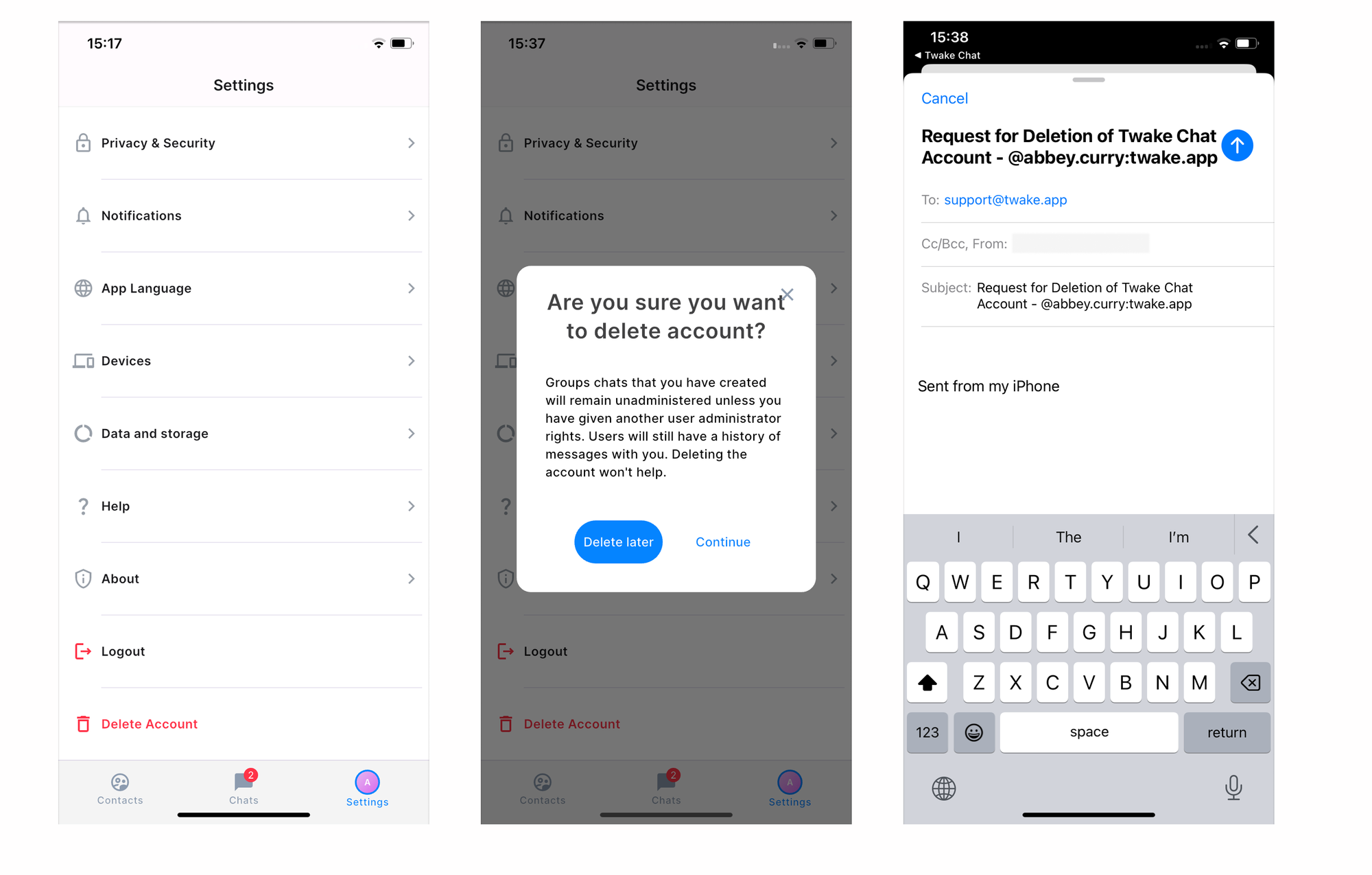
Request Account Deletion
- Open Settings.
- Tap Delete Account.
- Review the information displayed on the confirmation screen.
- Tap Continue.
The Twake Chat app opens your default email application with a pre-filled email addressed to support@twake.app requesting account deletion.
- Tap Send to submit your request.
Your request will be sent to the Twake Support team for processing.
After your request has been received:
- The Twake Support team will review and process your request.
- You may receive a confirmation email regarding your account deletion.
- Once the deletion is complete, your Twake Workplace account and all associated services will no longer be accessible.