Manage Data and Storage (Mobile)
The Data and Storage settings let you view how much storage Twake Chat is using on your device and clear temporary cached files to free up space.
Note: This feature is available only in the Twake Chat mobile app.
View Storage Usage
To view the storage used by Twake Chat:
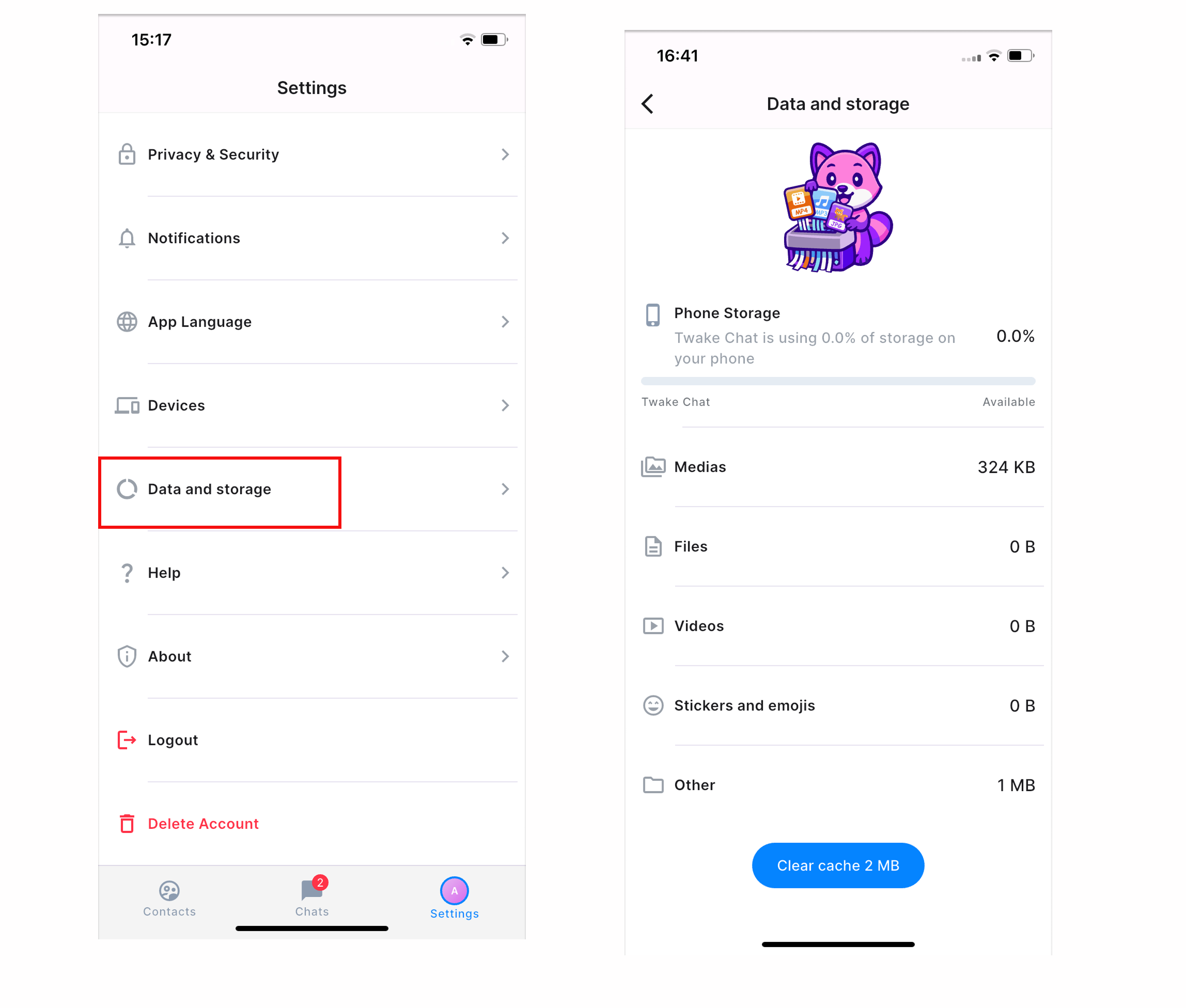
- Open Settings.
- Tap Data and storage.
The page displays:
- Phone Storage – The percentage of your device's storage used by Twake Chat.
- The detailed storage used by Media, Files, Videos, Stickers and emojies, and Other .
The total cache size is displayed on the Clear cache button at the bottom of the screen.
Clear the Cache
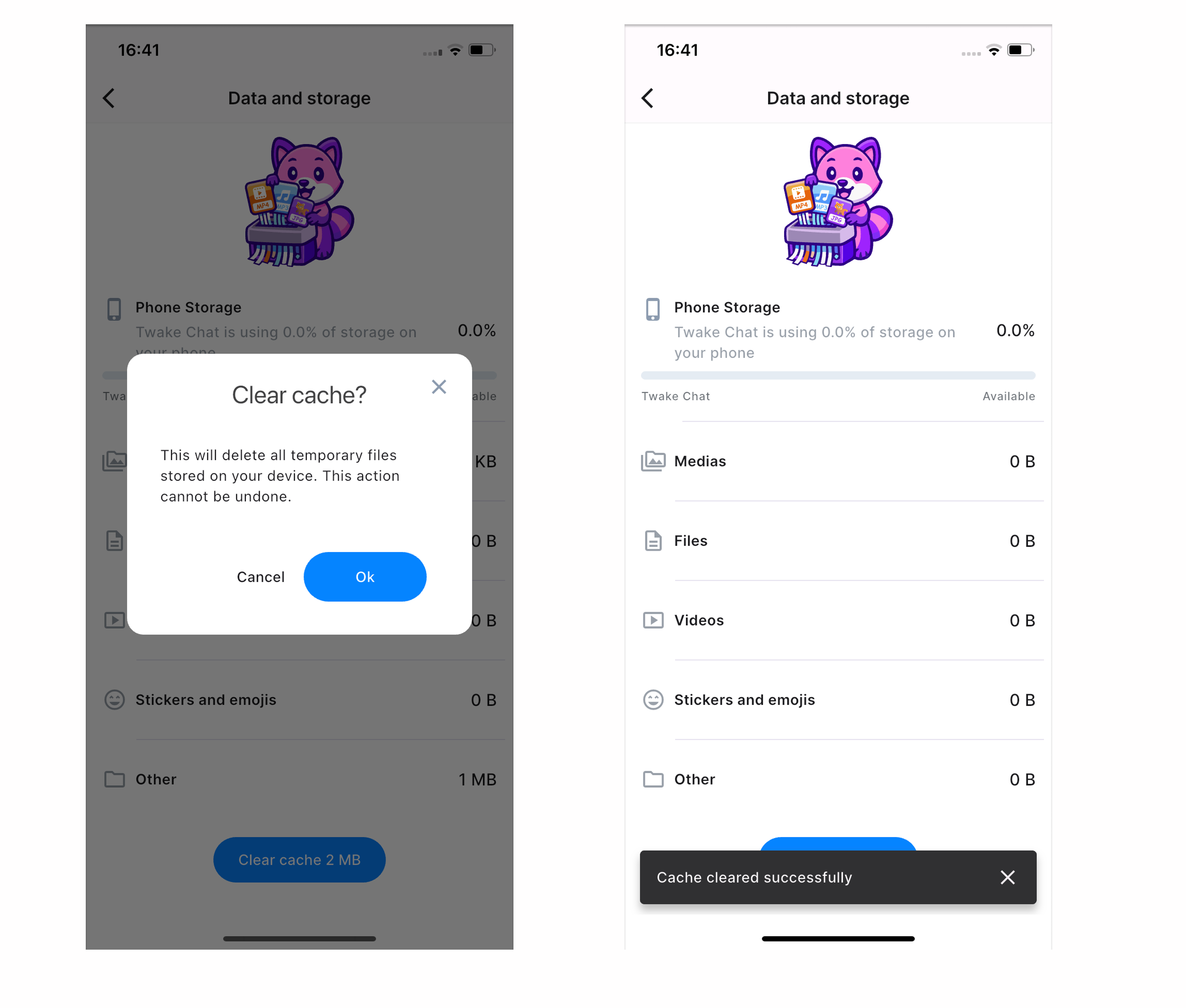
You can clear temporary files stored by Twake Chat to free up storage on your device.
- Open Settings > Data and storage.
- Tap Clear cache.
- Review the confirmation message and tap OK to continue.
A confirmation message appears when the cache has been successfully cleared.