Manage a chat from the chat list
You can quickly manage conversations from the chat list
Manage one chat
- Open Twake Chat and go to Chats.
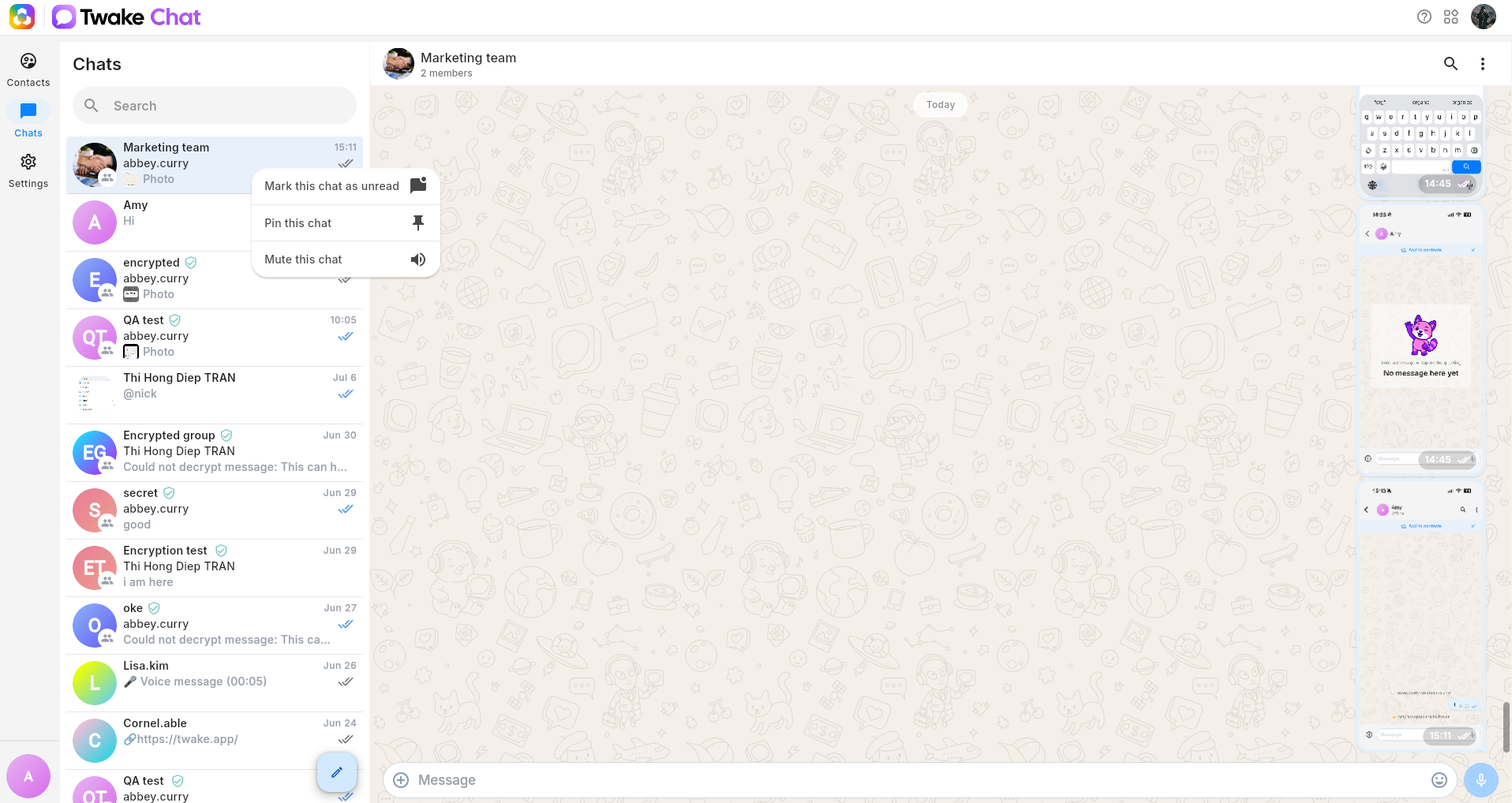
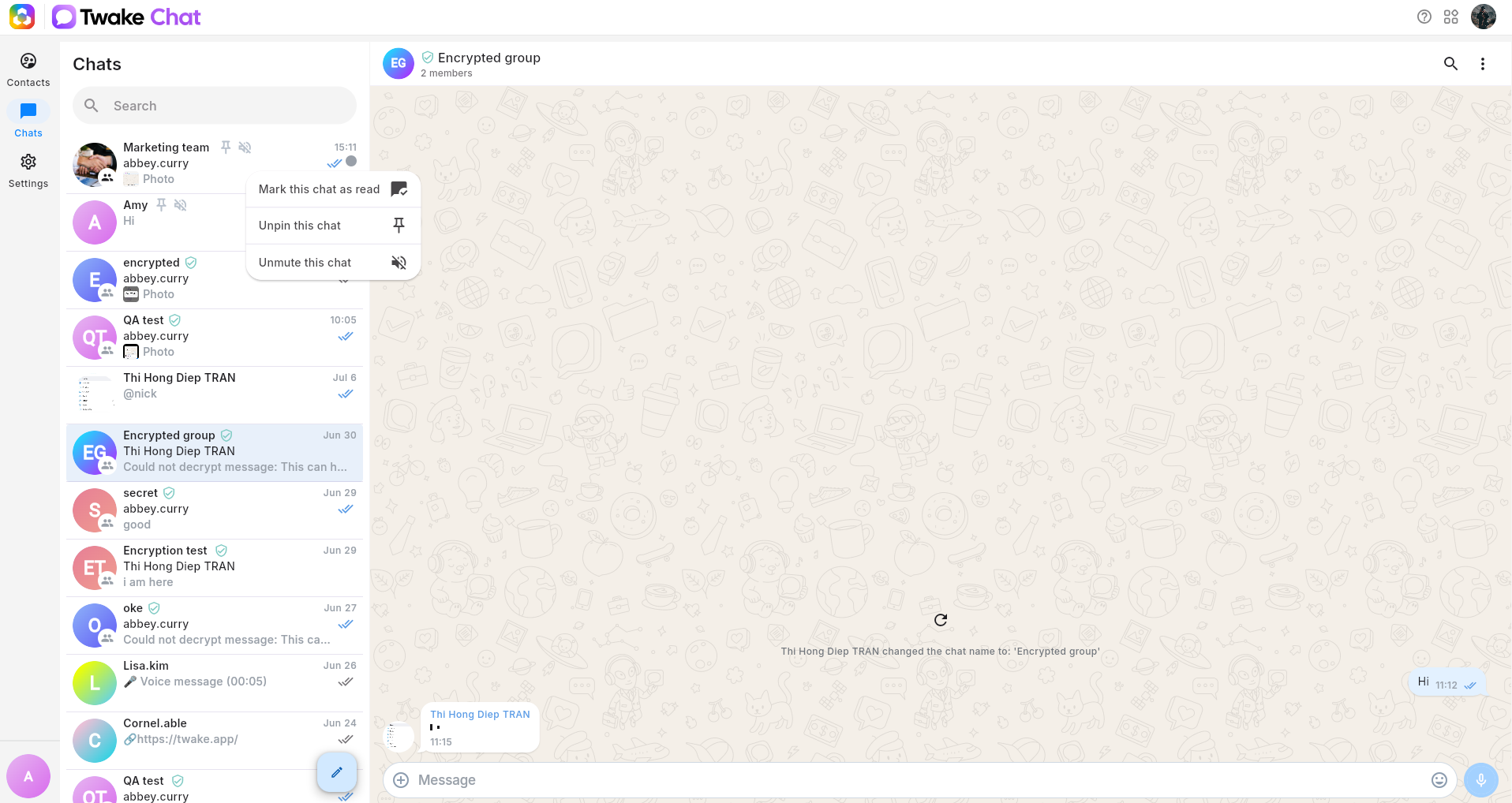
- Right-click the conversation you want to manage.
- Select an action:
- Mark as read / unread: Change the chat’s read status. An unread chat displays a blue indicator.
- Pin / unpin this chat: Keep an important chat at the top of your chat list. A pin icon appears beside pinned chats.
- Mute / unmute this chat: Stop or resume notifications for the chat. A muted speaker icon appears beside muted chats.
Manage multiple chats
You can apply the same action to several chats at once:
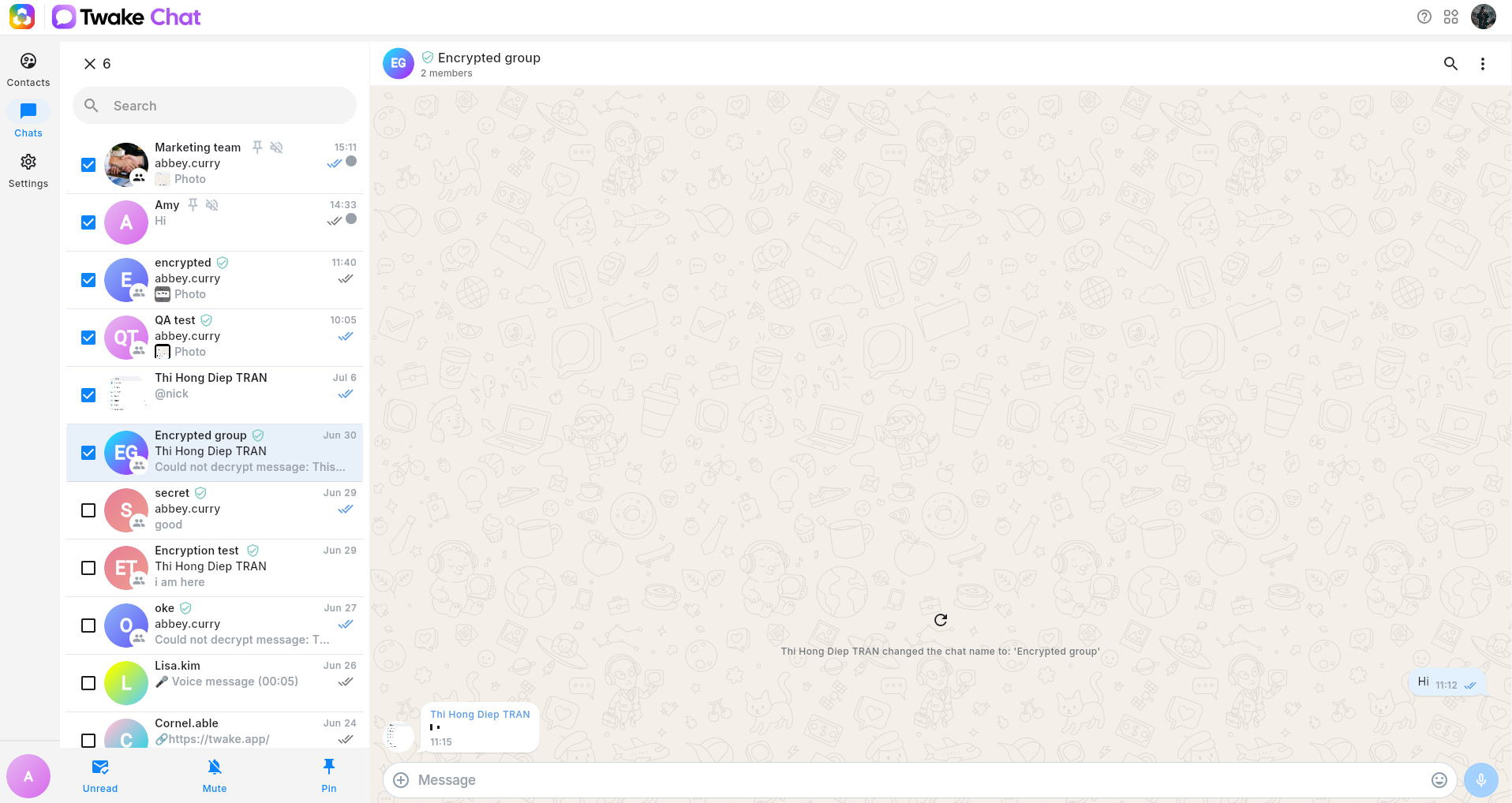
- Click and hold a chat until selection mode opens.
- Select the checkboxes beside the other chats you want to manage.
- Choose an action at the bottom of the chat list
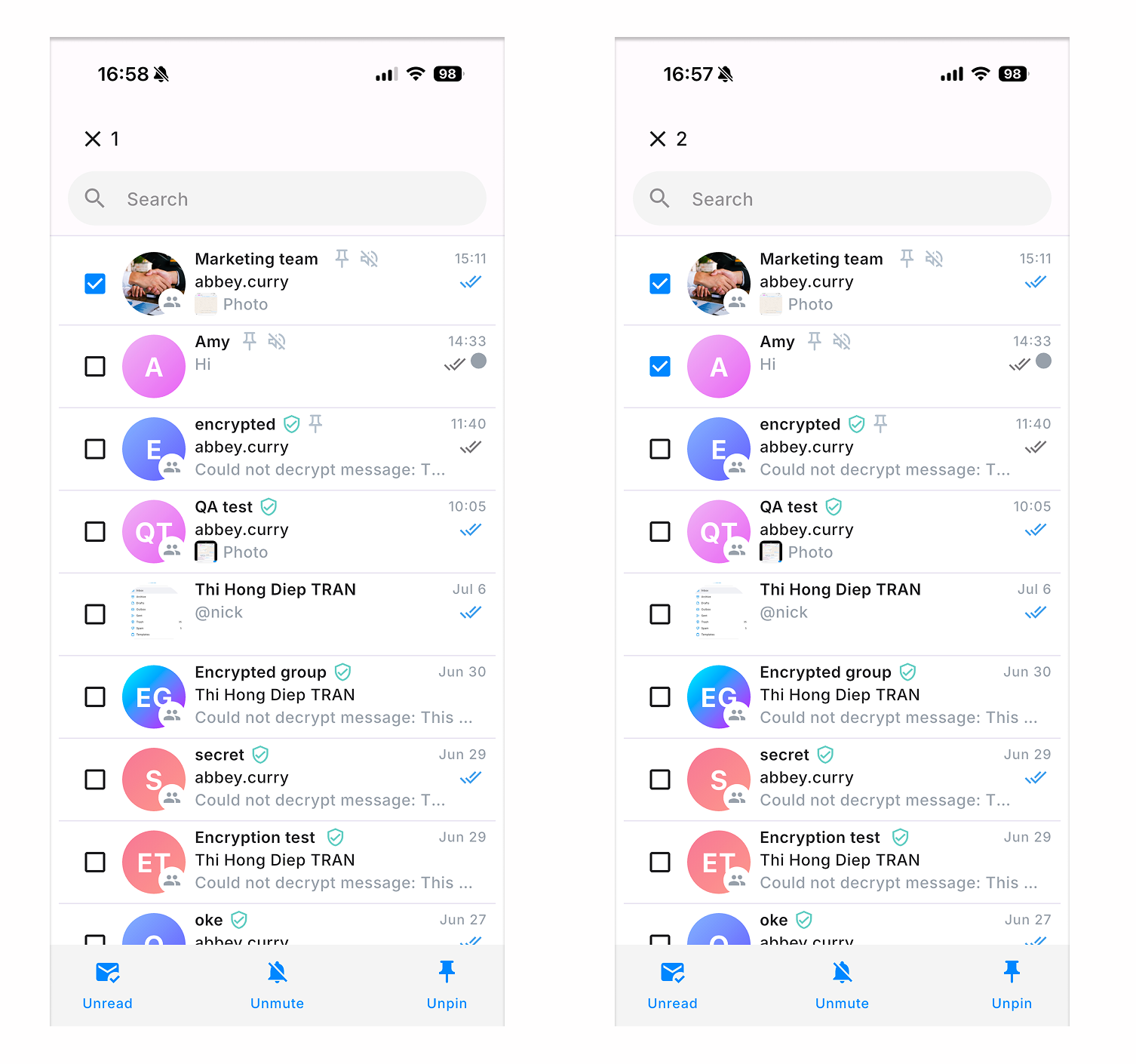
The number at the top shows how many chats are selected. Click X to exit selection mode.
On mobile app, you need to long-press a chat in the chat list until selection mode opens, then select an action from the bottom of the list: