
Twake chat - Start a call
Start a video call directly from an individual or group conversation.
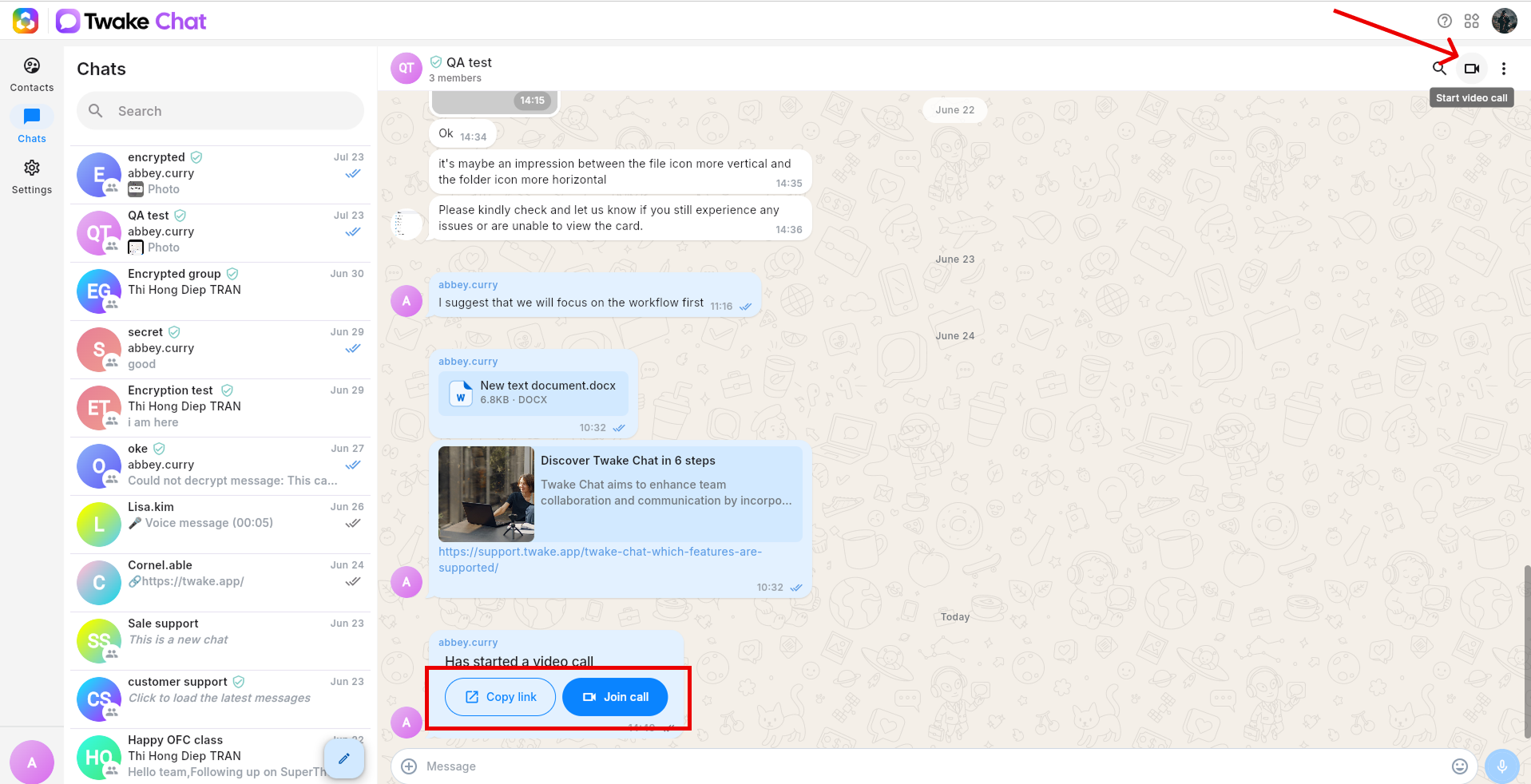
- Open Chats and select the conversation where you want to start the call.
- Select the video camera icon in the upper-right corner of the conversation
- Twake Chat posts a call invitation in the conversation.
- Select Join call to open the meeting page.
Prepare to join
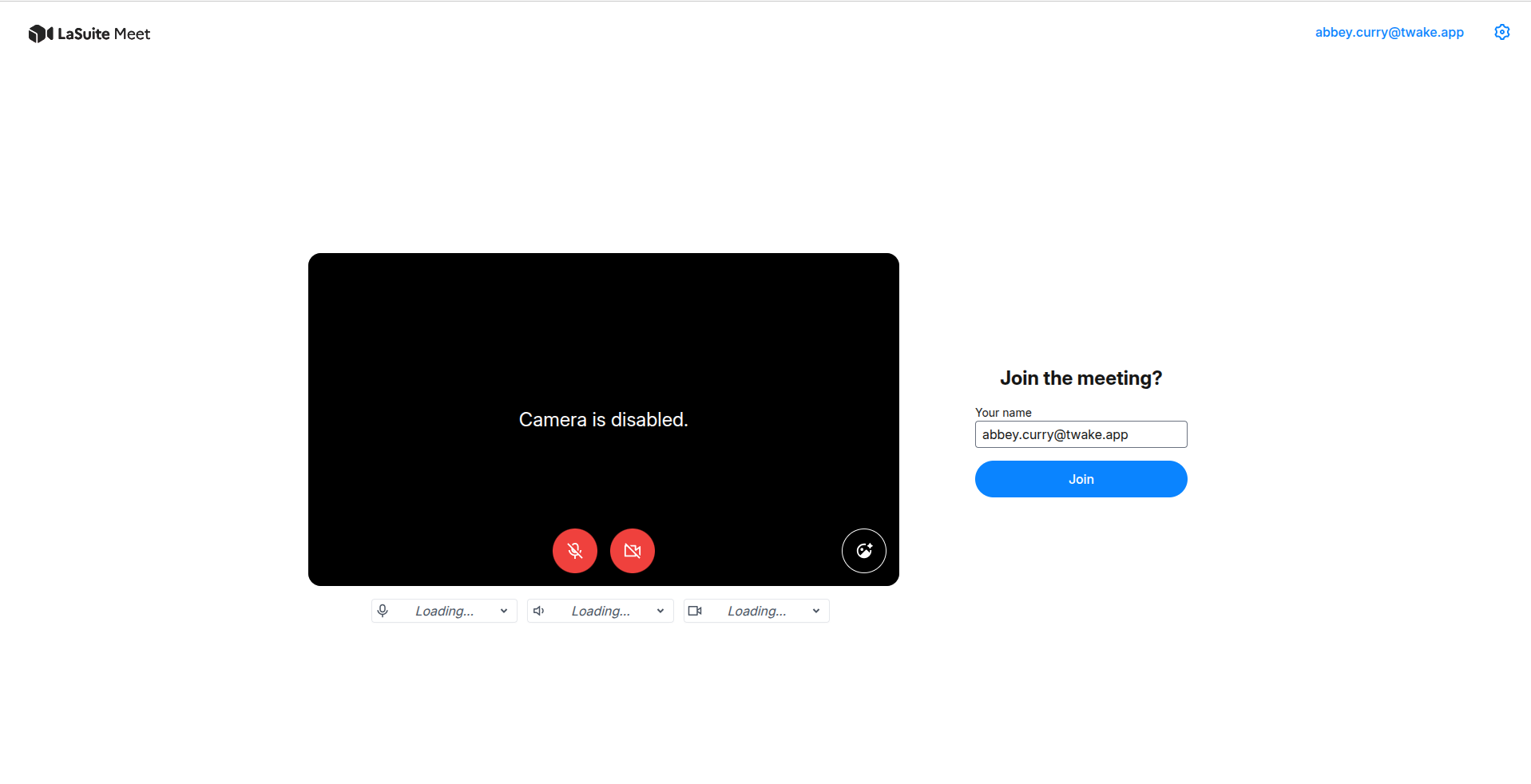
On the meeting page:
- Review or edit your display name.
- Choose your microphone, speaker, and camera from the device menus.
- Use the microphone and camera controls to turn them on or off.
- If prompted, allow your browser to access your microphone and camera.
- Select Join to enter the meeting.
Invite other participants
Everyone in the conversation can see the call invitation and select Join call.
To invite someone another way:
- Select Copy link on the call invitation.
- Send the copied meeting link to the participant.
- The participant opens the link, checks their meeting settings, and selects Join.