Recover a version of file
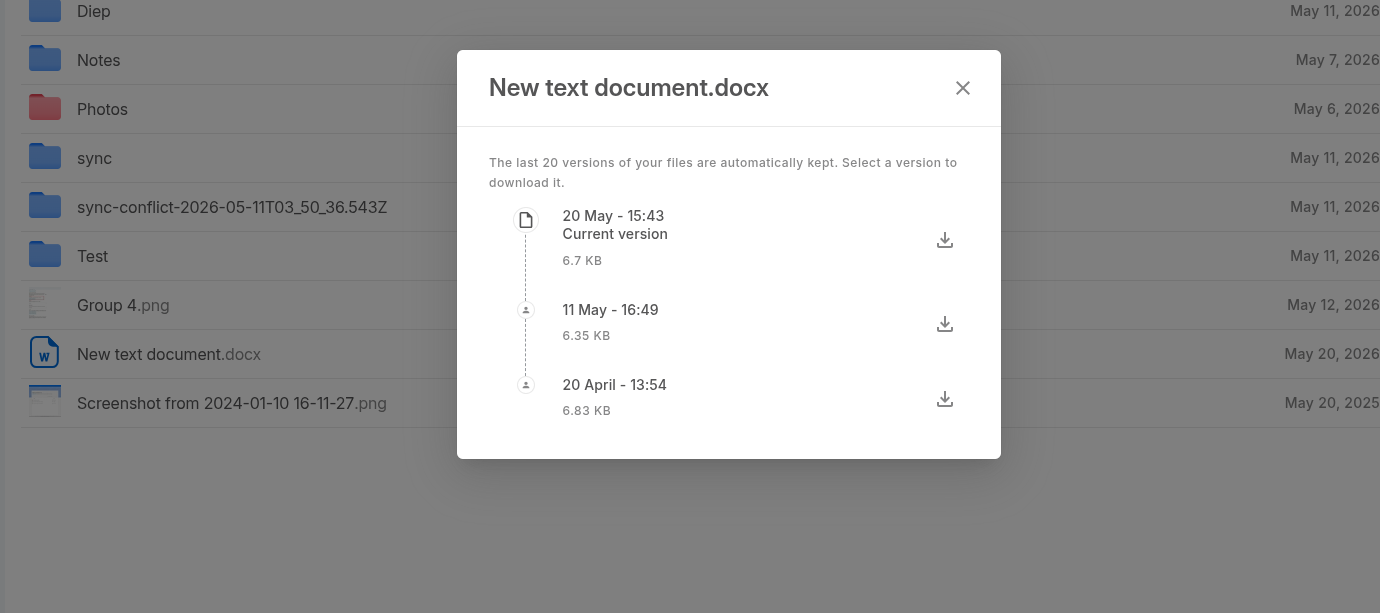
Twake Drive automatically keeps the last 20 versions of your files.
To restore an older version of the file:
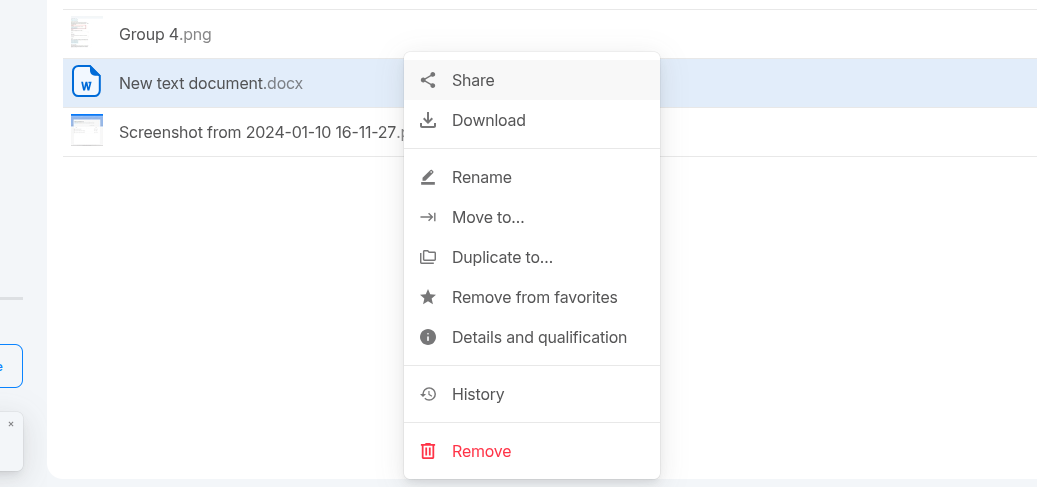
- Open the file’s History.
- Find the version you want to restore.
- Click the Download icon next to that version.
- Save the file to your device.
- Upload the downloaded version back to Twake Drive to replace or create the current version.