Twake Mail- Spell check
Spell check features is designed to help you identify and correct spelling and grammar errors in your messages.
- Compose a New Email: Open your Tmail account and start composing a new email.
- Text Input Area: Type your message in the text input area. The spell check is automatically enabled.
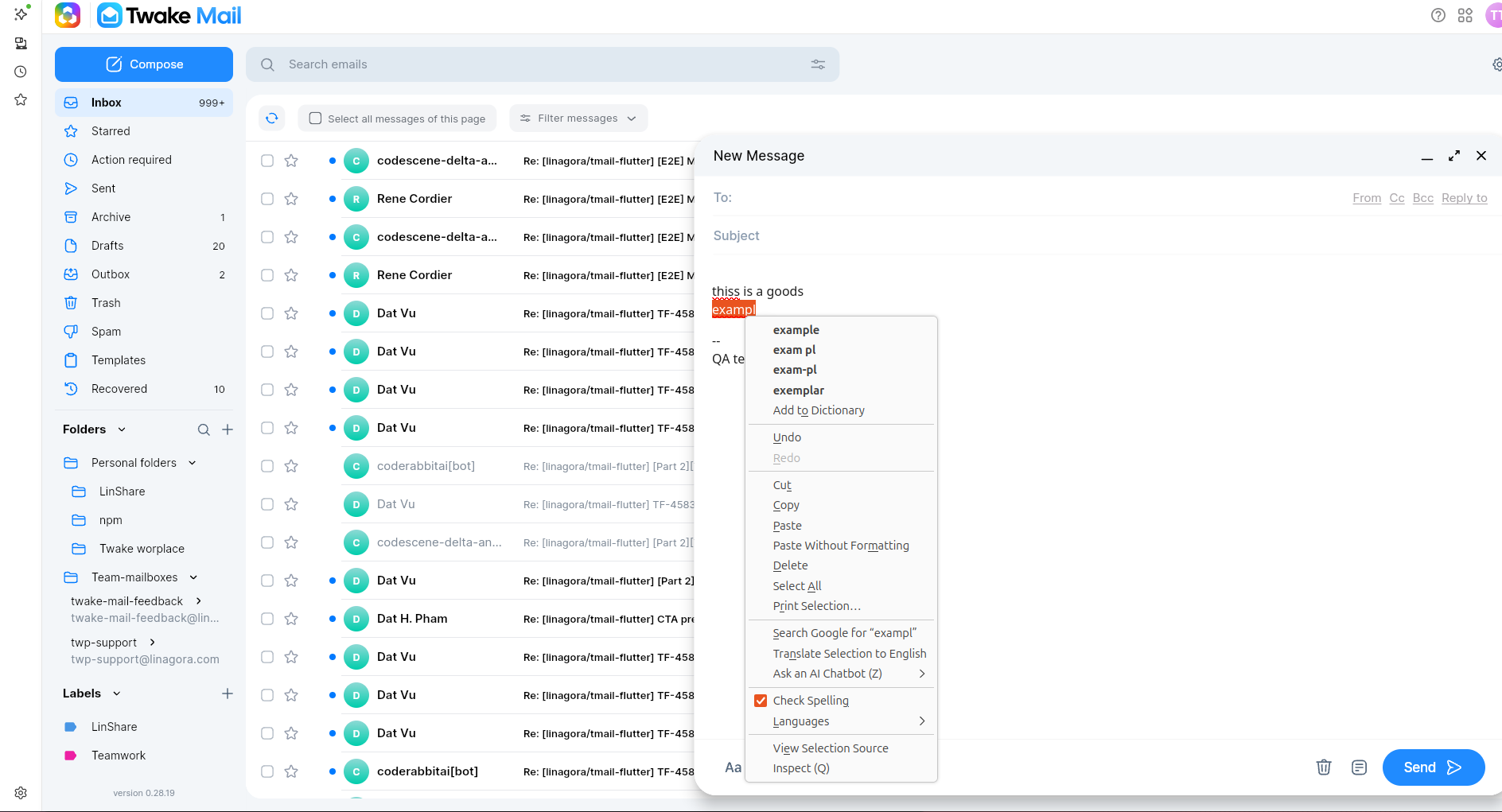
- Automatic Underlining: As you type, the spell check feature will automatically underline words that it identifies as potentially misspelled.
- Right-Click Correction: To correct a misspelled word, right-click on the underlined word. A context menu will appear with suggested corrections.
- Correcting Suggestions: Review the suggested corrections and choose the correct one by clicking on it. Alternatively, you can manually correct the word by typing the correct spelling.