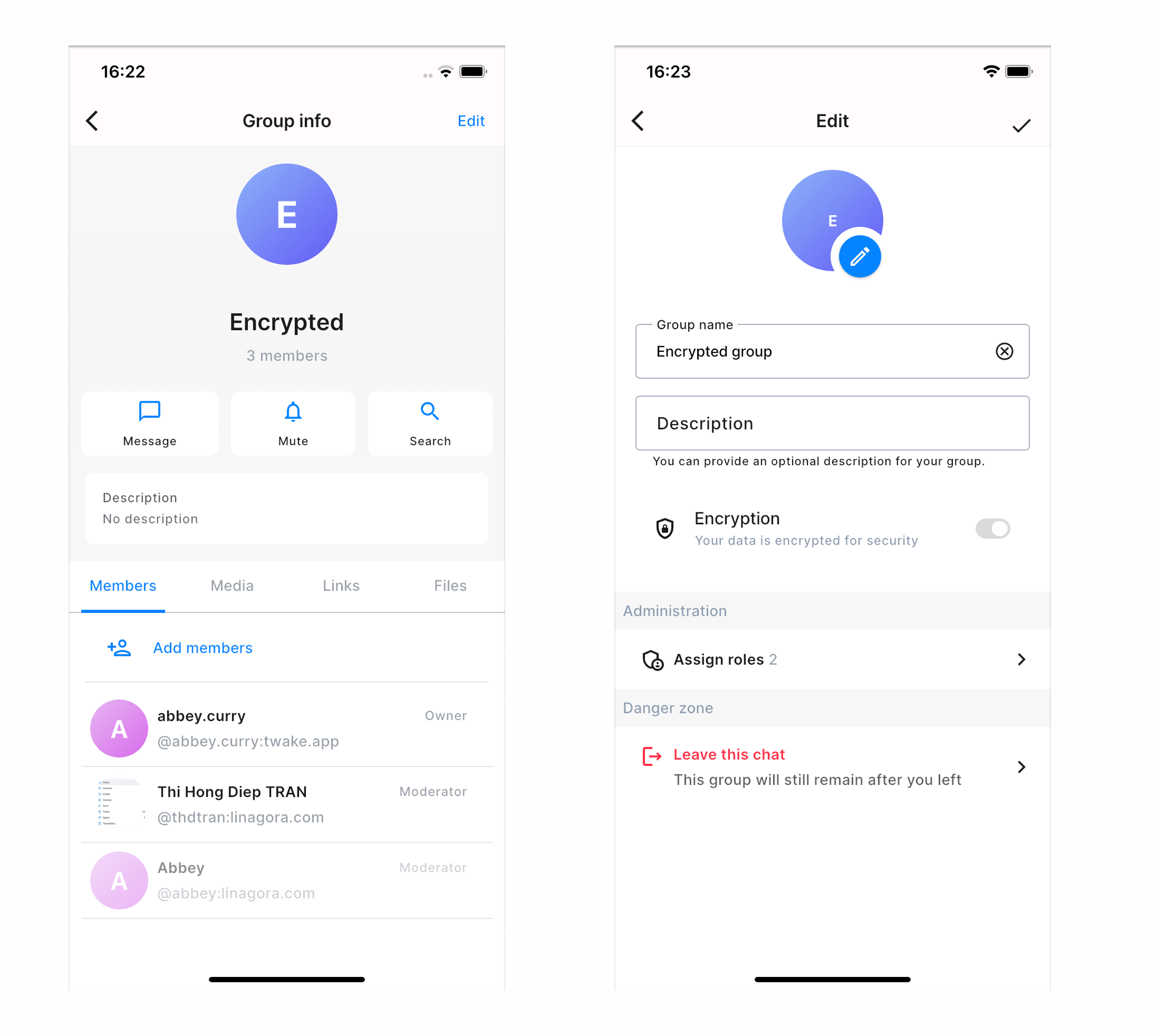
Update group chat's information
If you're the group owner or admins/moderators of the group, you can update the group's information, such as its avatar, name, and description.
Edit the group information
- Open the group chat.
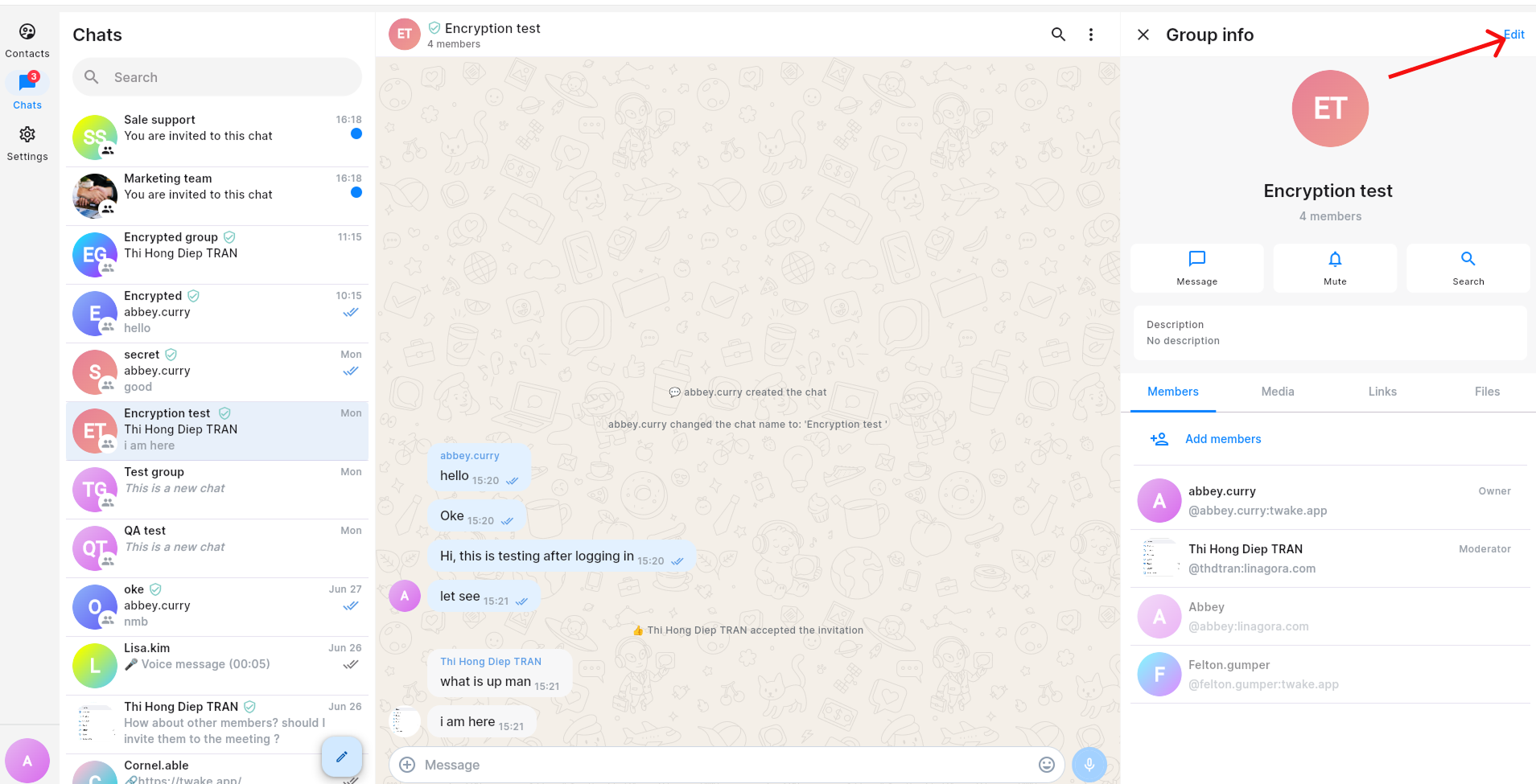
- Click the group name at the top of the conversation to open Group info.
- Click Edit in the top-right corner.
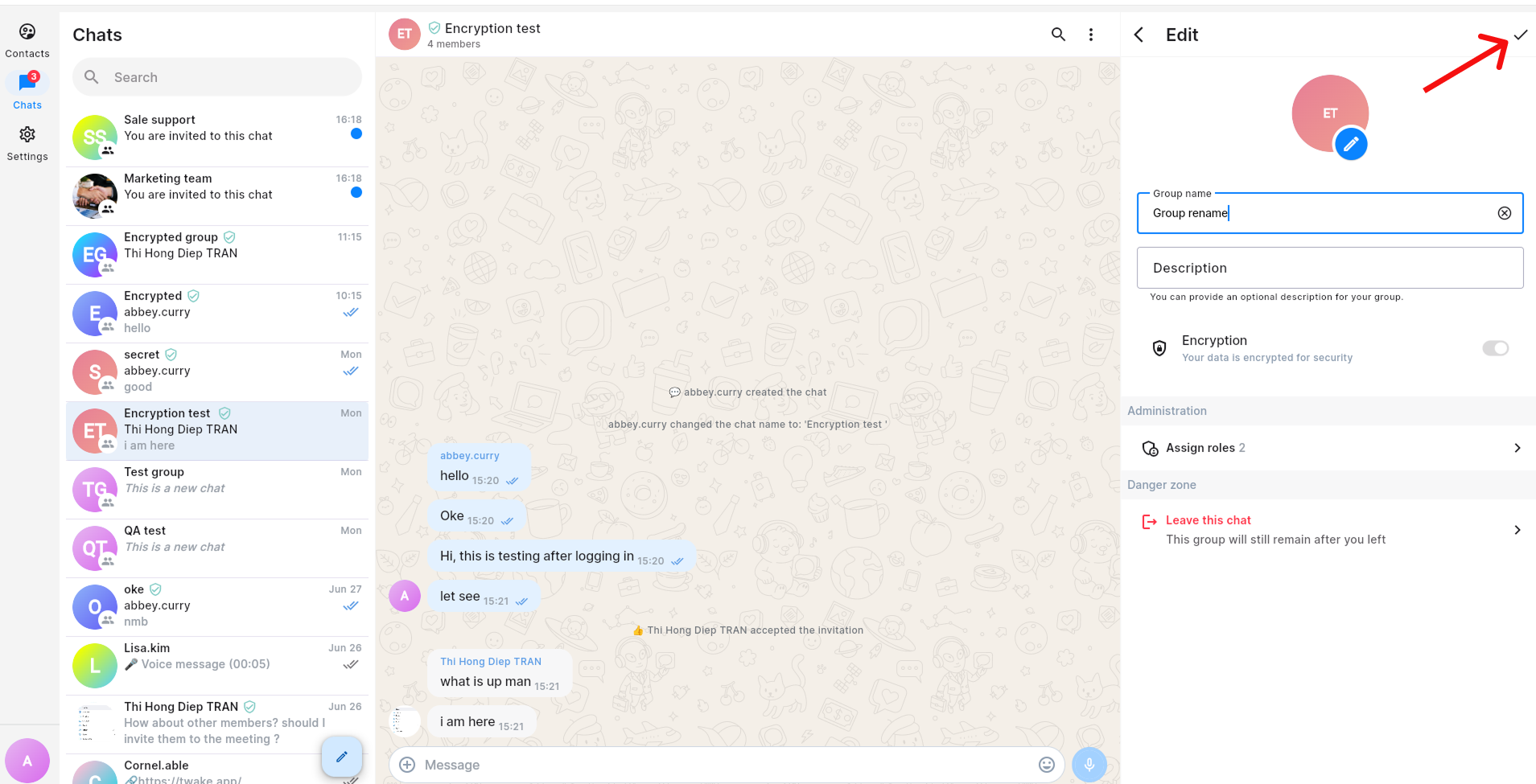
- Update any of the following information:
- Group avatar – Click edit icon on the avatar, then select a new image.
- Group name – Enter a new name for the group.
- Description – Add or edit an optional group description.
- Click the ✓ Save button in the top-right corner to apply your changes.
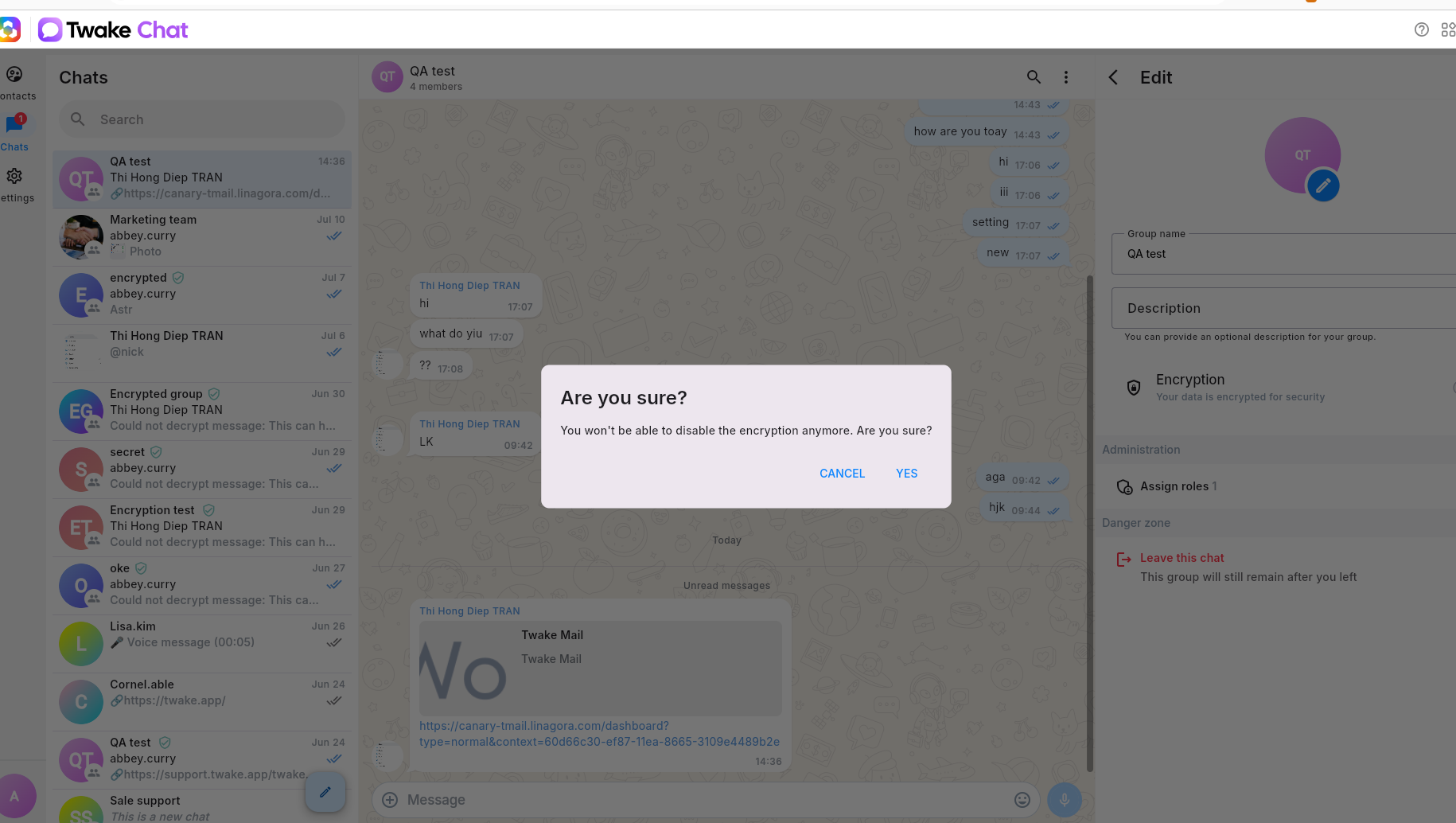
If the group chat is not encrypted, you can enable end-to-end encryption toggle from the group chat settings.
Important: Once end-to-end encryption has been enabled, it cannot be disabled. This change is permanent.
On mobile app: